The Best AI Thumbnail Generator for Solo YouTubers
Last updated: 27 August 2026
Author: Greg Preece — I cover AI video tools and practical creator workflows.
I have made video for a living for 10 years and run a YouTube channel of over 130,000 subscribers, and I have made my own thumbnails for every single video. Here is the tool I would hand to a creator who has nobody designing for them.
If your face is in every thumbnail and there is nobody to make them but you, Pikzels is the right choice. It is a thumbnail tool built for YouTube rather than a general image generator, and the reason it wins is that you train your face once and then reuse it.
That sounds small. It is the whole problem. Every general AI image tool makes you describe what you look like on every single thumbnail, and your face comes out slightly different every time. Over a year that reads to your audience as a channel that keeps changing hands.
In short
- Best for solo creators who appear in their own thumbnails and publish regularly.
- Train your face once as a Persona, then reuse it across everything.
- Paste a link to a thumbnail that is working and it rebuilds the layout around your content.
- There is a weight control that decides whether you have made your own thumbnail or copied someone else's. Turn it down.
- There is no free tier, only a trial, so this is hard to justify if you publish once a month.
- Everything is metered in credits and training your face costs more than making a thumbnail.
On this page
- Who Pikzels is for
- The problem with being the only person on your channel
- Why Pikzels solves it
- What I found using Pikzels
- Where Pikzels falls short
- What else I considered
- What Pikzels costs
- Getting started
- Method and freshness
Who Pikzels is for
This is for you if:
- Your own face is in your thumbnails and you want it to look the same in all of them.
- You publish often enough that thumbnails are a recurring job rather than a one-off.
- Nobody designs for you and you are not about to learn Photoshop.
- You are happy starting from a layout that already works rather than from a blank canvas.
This is not for you if:
- You never appear in your thumbnails. A general image generator will do the same job for less.
- You have a specific composition in your head and want to move things by hand. This is prompts and typed instructions, not layers.
- You publish rarely. There is no free plan, so a subscription for one thumbnail a month is a bad deal.
- Rebuilding another creator's layout is something you would rather not do at all. That is the main thing this tool is for.
The problem with being the only person on your channel
Your thumbnail decides whether anyone watches. You already know that. The problem is where it sits in your week.
You wrote it, you filmed it, you edited it, and then at midnight you make the thumbnail. It is the last job and it gets the least attention, which is exactly backwards. Meanwhile the channels you are up against in the sidebar have someone whose whole job is that one image.
Then there is the photo problem. Getting your own face into a thumbnail properly used to mean a photoshoot, and nobody is doing a photoshoot per video. So you end up reusing the same 3 pictures of yourself until your audience can predict them, or you shoot a quick selfie at your desk and it looks like a quick selfie at your desk.
Why Pikzels solves it
You train your face once. Upload photos of yourself, and Pikzels builds a Persona you can put into any thumbnail from then on. Your face stops being something you have to produce each week and becomes something you select. Pikzels now says 3 photos is enough. When I trained mine it wanted 10 to 20. Either way it is once, not per thumbnail.
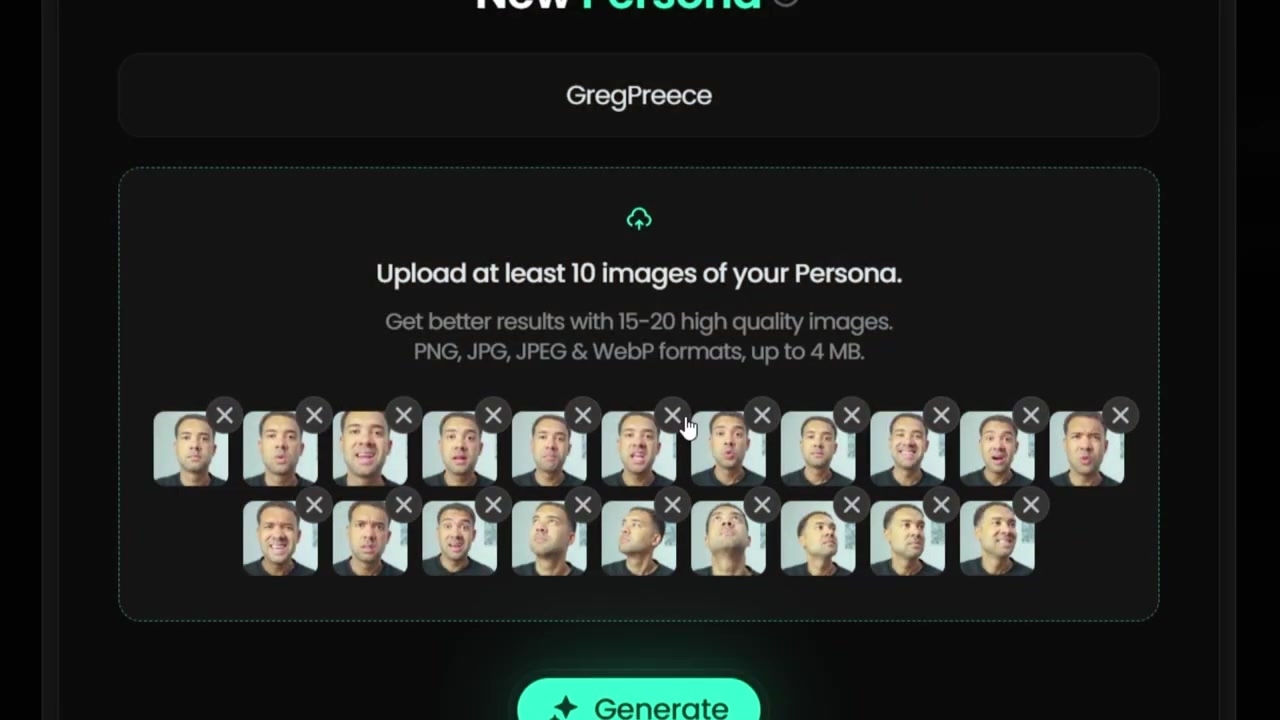
Caption: The Personas dashboard where you name your profile and upload reference photos to train your face swap model.
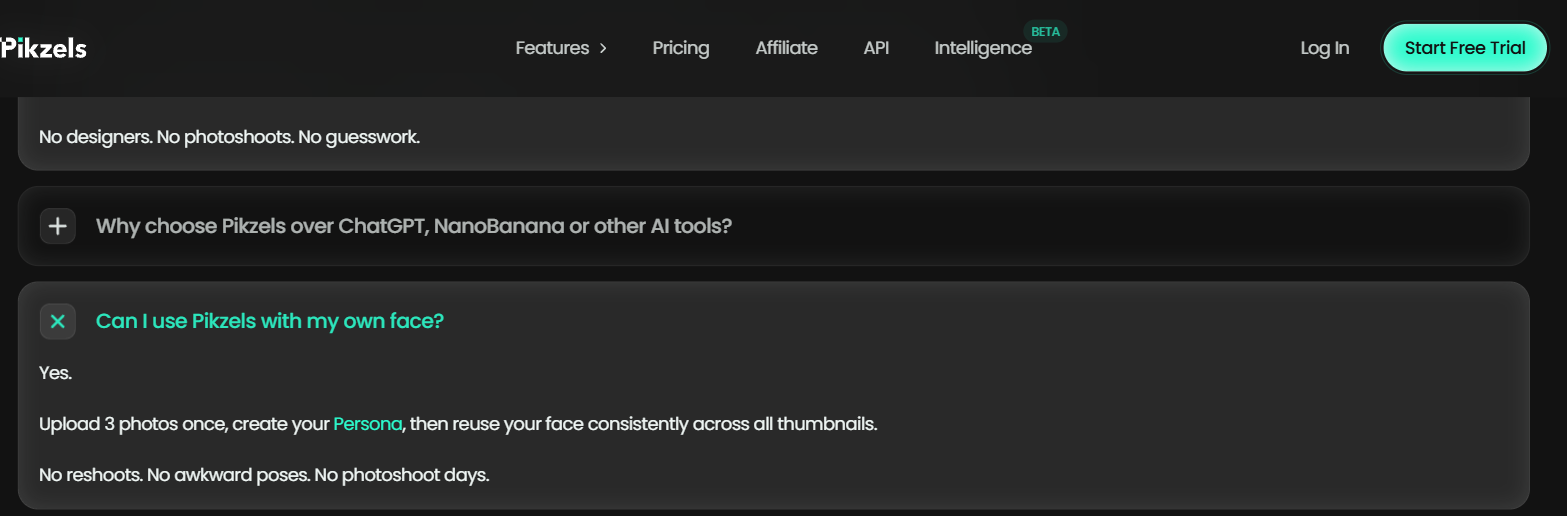
Pikzels' pricing page FAQ, captured 7 September 2026, stating that you upload 3 photos once to create your Persona.
You can train your look, too. Styles does for your visual identity what Personas does for your face. Train it once and the thumbnails stay recognisably yours across a year of uploads, which is the thing that actually builds a channel's shelf presence.
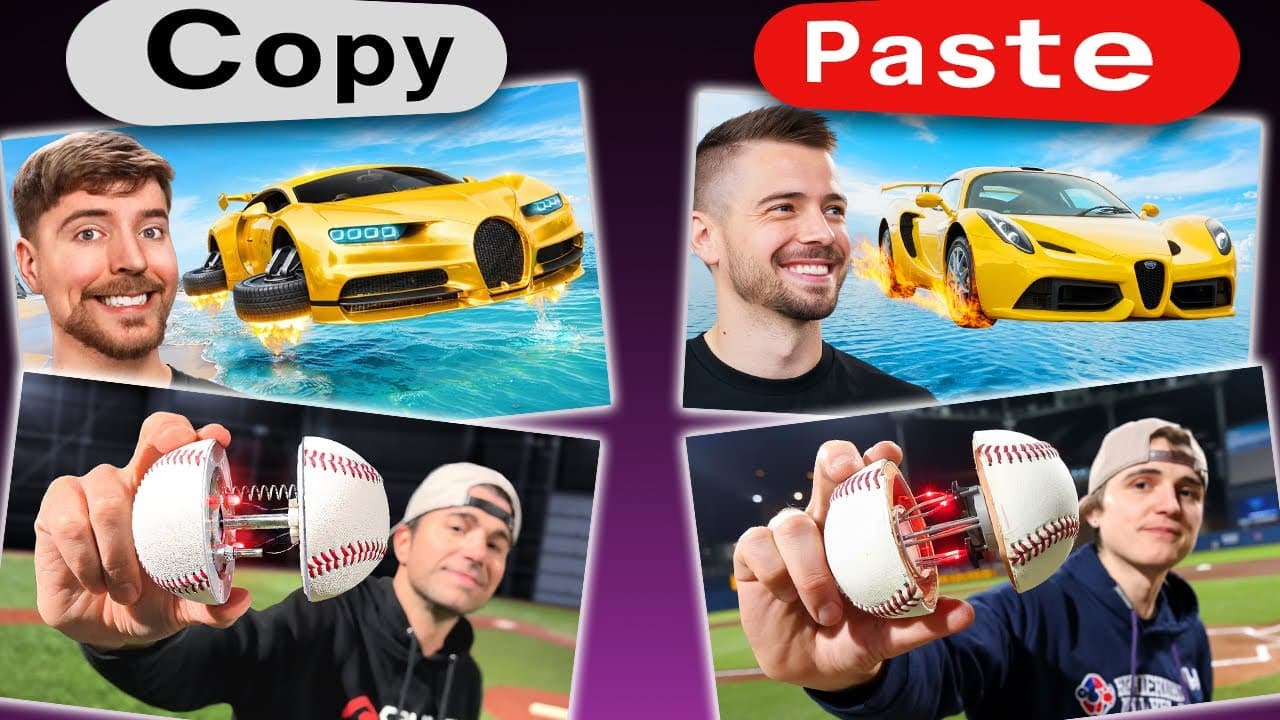
You start from something that already worked. Paste a link to a thumbnail that is performing and Pikzels pulls out the layout and rebuilds it around your content. It takes any image link, not just YouTube ones, so a Facebook ad or a magazine cover works the same way.
A dial decides how close you get. Pikzels calls it Image Weight. High stays close to the source, low gives it room to invent. This one control is the difference between copying someone's thumbnail and learning from it, and it is the reason I would recommend this over a face-swap tool.
Changes are typed, not drawn. If something is wrong you describe what you want different and it redoes it. No design skills, and no fighting a layer panel at midnight.
What I found using Pikzels
Training took about 5 minutes. I named the model, uploaded photos of myself and hit generate. It came back in 3 to 5 minutes.
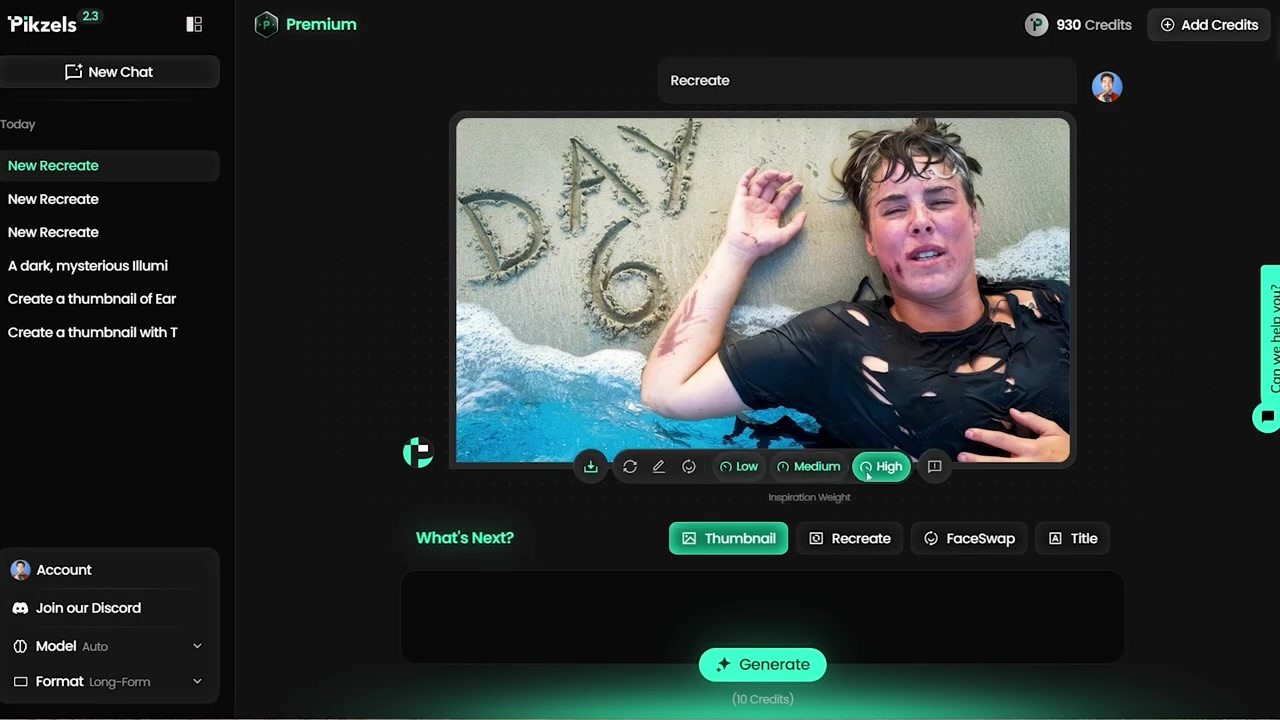
Caption: Altering the inspiration weight levels allows you to balance precise imitation with creative freedom.
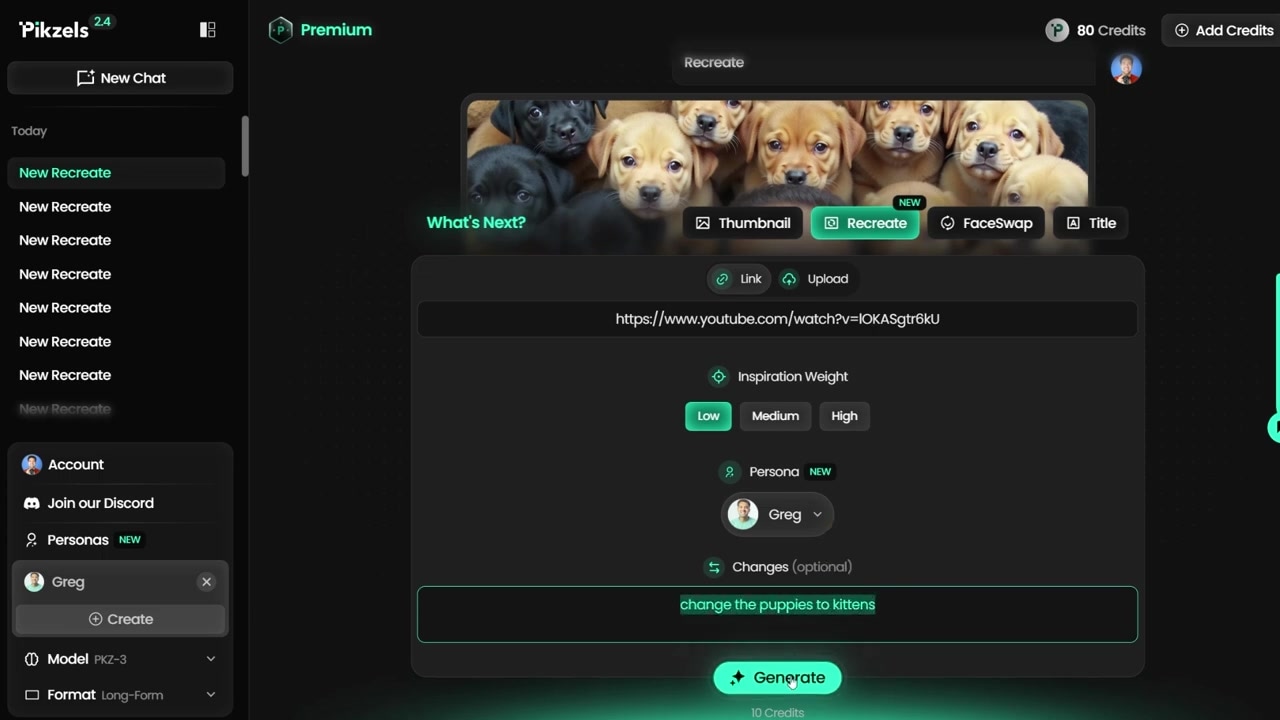
Caption: The Low setting combined with custom text prompts allows you to replace elements (like puppies to kittens) to build a unique concept.
The photos you feed it decide everything. I got a much cleaner result from pictures showing different expressions and different directions than I did from a set where I was looking the same way in all of them. Happy, surprised, serious, head turned slightly. One angle and one expression gives you a stiff swap that looks pasted on.
Recreating a layout took under a minute. I pasted the link to MrBeast's puppy rescue video, picked my Persona, left everything on default and hit generate. Between 30 and 60 seconds later I had the same layout with my face in it.
The weight dial is the whole skill. On the highest setting it is a straight copy of the original, right down to the colours. One step down it kept the structure but changed the puppies from all beige to a mix of beige and black. On the lowest setting, with the word "kittens" typed into the prompt box, it swapped the animals out entirely and what came back was a layout that was mine.
So do not use the top setting. That is my own view rather than the tool's advice. A straight copy is the easiest thing this tool will produce and it is the least useful. What you want from a thumbnail that works is the framing, the lighting and where your eye lands first. You do not want the puppies. The full walkthrough is in Pikzels — training a face model and recreating viral thumbnails.
One note if you go looking for that dial. It was called the Inspiration slider when I used it and Pikzels now calls it Image Weight. Same control, same job.
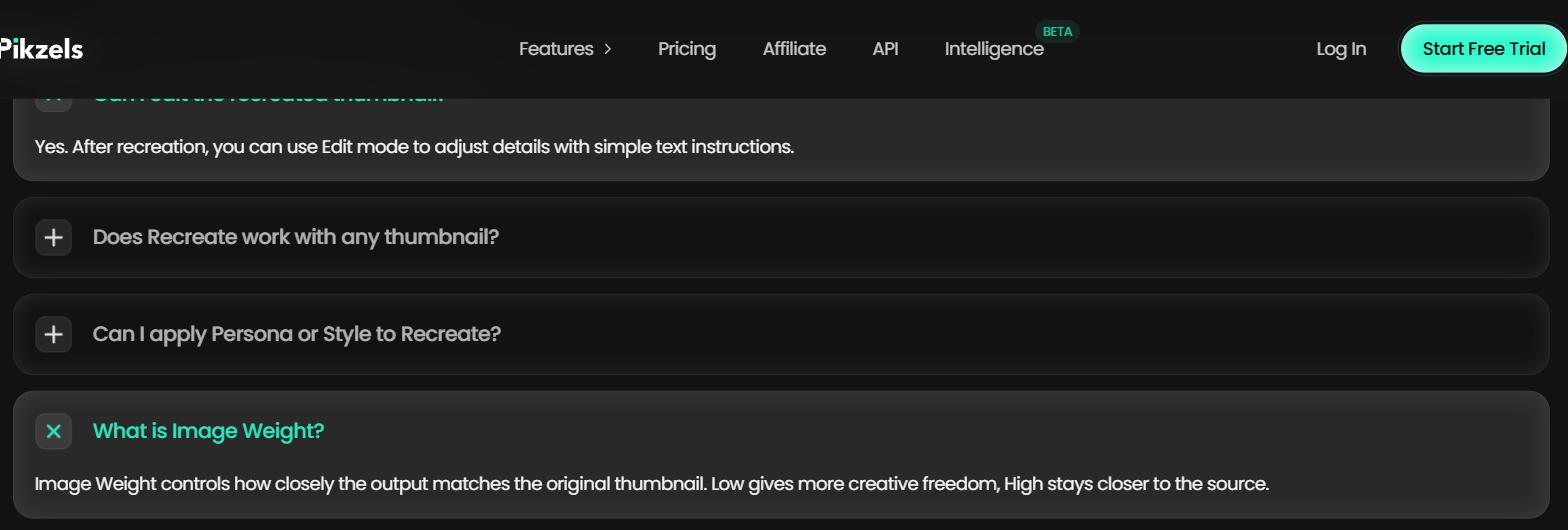
Pikzels' Recreate feature page, captured 7 September 2026, naming the control Image Weight and describing what high and low do.
Where Pikzels falls short
There is no free tier. There is a trial and then two paid plans, and that is it. If you publish weekly this is easy to justify. If you publish monthly, it is not.
Everything spends credits, at different rates. Training a face costs more than making a thumbnail, and a thumbnail costs more than generating a title. Your first month will go mostly on setup rather than output, so plan for that rather than being surprised by it.
Credits reset unless you say otherwise. By default they clear on your renewal date. There is a rollover option, but you have to turn it on at checkout, and it is easy to click past. They also stop working entirely if you cancel, so anything you have banked goes with the subscription.
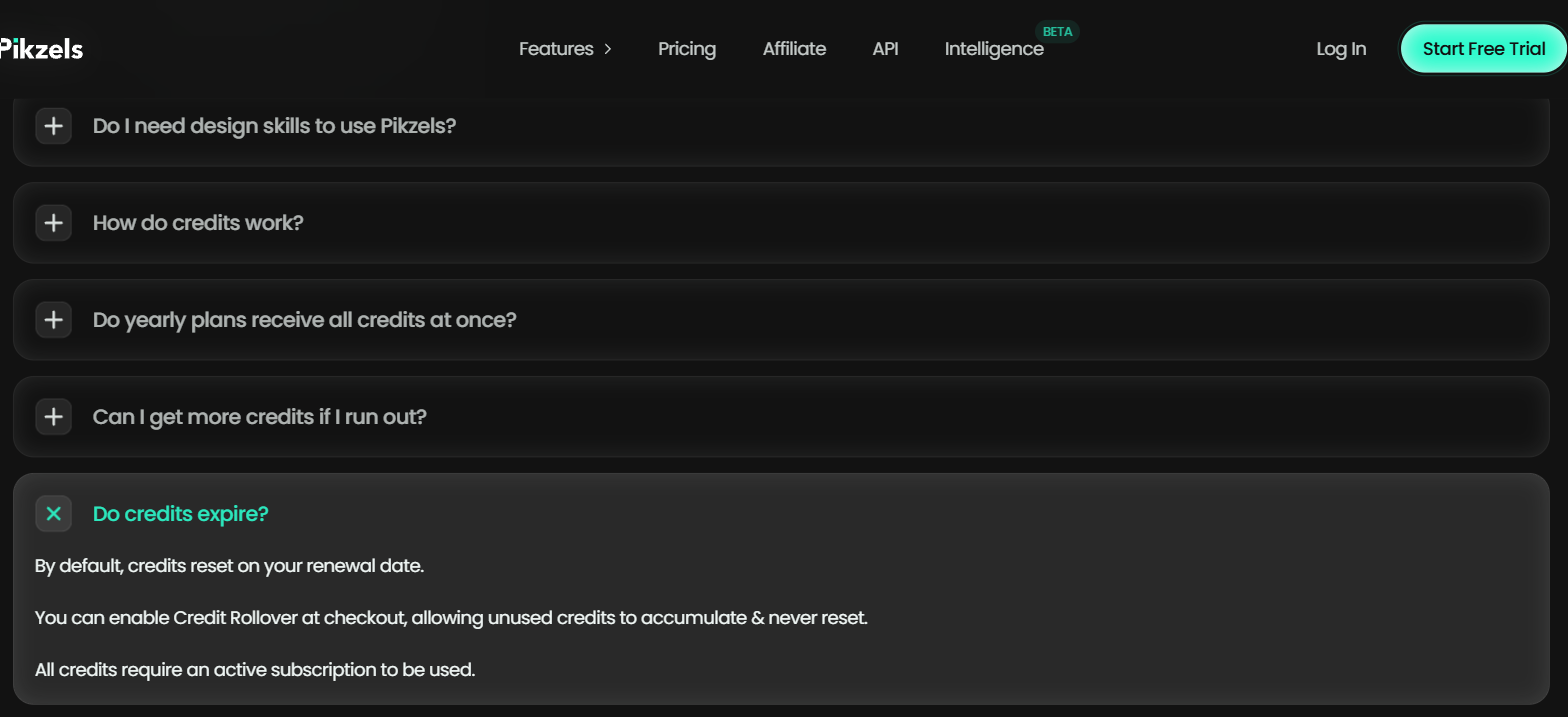
Pikzels' pricing page FAQ, captured 7 September 2026, on credits resetting at renewal, Credit Rollover being a checkout option, and credits needing an active subscription.
It is not a design tool. You cannot nudge something 4 pixels left. If you arrive with an exact composition in mind, you will spend longer describing it than you would have spent building it.
The score is Pikzels marking its own work. It will rate a thumbnail on things like clarity and curiosity. That is its model's opinion, and I have not run anything to check whether a higher score means more clicks. Use it as a second pair of eyes, not as a verdict.
Copying closely is the easiest thing it does. Whether that sits right with you is your call, but the tool makes the closest possible copy the default, and the default is the thing most people ship.
What else I considered
vidIQ has a free thumbnail maker that cuts a photo of you out and places it into a design. That is the better pick if free matters more than consistency and you do not need your face to hold up across 50 videos. I have not tested its thumbnail maker.
Canva is right when you want to place things yourself and you already have a decent cut-out of your own face. It is a different job rather than a worse tool, and if you enjoy the design part you will be happier there.
A general image generator will make you a good-looking picture. What it will not do is give you the same face 50 times, and that is the actual problem this page is about.
What Pikzels costs
Pikzels meters everything in credits, and different actions spend different amounts. Training your face costs the most, making a thumbnail comes next, and generating a title is the cheapest thing on the list. There are two paid plans, both cheaper if you pay for a year, and no free plan behind the trial.
Current figures are on Try Pikzels →. The thing to work out before you subscribe is not the monthly price, it is how many thumbnails you actually make in a month once training is paid for.
Getting started
- Gather 10 photos of yourself before you sign up. Different expressions, looking in different directions. Pikzels only asks for 3, but variety is what made my swap look natural.
- Train the Persona first. It is the most expensive thing you will do and everything else depends on it.
- Find 3 thumbnails in your niche that are working and paste them in.
- Turn the weight dial down and type what you want changed. Do not ship the top setting.
- Put the result next to your last 10 thumbnails before you publish. If it does not look like it belongs to the same channel, train a Style.
Method and freshness
The first-hand parts of this page come from my own thumbnails, linked above, and were made when the weight control was still called the Inspiration slider. Pikzels' own pricing and feature pages were read on 27 August 2026 to confirm the Persona photo count, the Image Weight control, the credit model and that there is no free plan. I have not tested vidIQ's thumbnail maker, and nothing above should be read as a comparison I have run.