I Tested This AI Thumbnail Maker to Clone Viral Designs (With Face Swap)
Update, 18 August 2026: OpenAI retired DALL-E in May 2026. The comparison below refers to the generation of image models available when this was written.
I Tested This AI Thumbnail Maker to Clone Viral Designs (With Face Swap)
Last updated: July 2026
Author: Greg Preece — I test AI video and content creation tools hands-on to help creators get usable, high-CTR results fast.
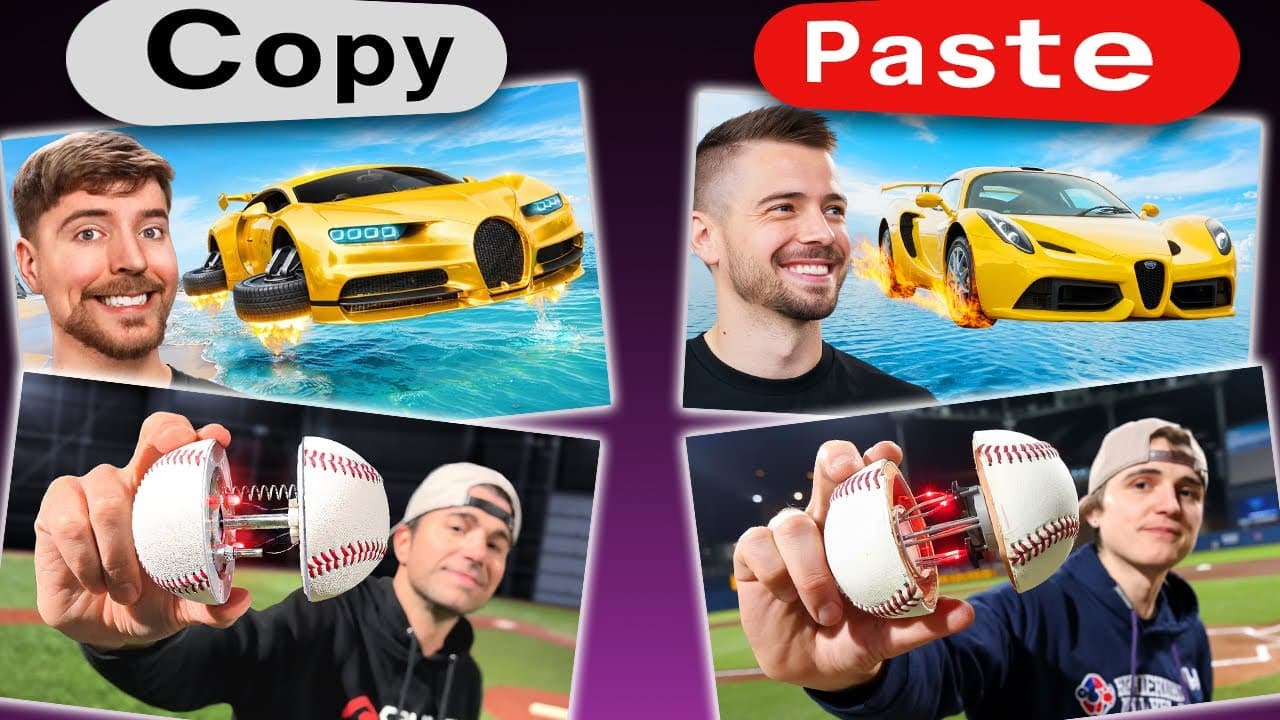
Replicating viral layouts is a proven strategy to get millions of views on YouTube, but hiring designers to custom-build them can cost thousands of dollars. In this hands-on guide, I test Pikzels, a dedicated AI thumbnail maker designed to clone successful layouts and seamlessly swap in your face in seconds.
Below, I’ll walk you through my exact step-by-step workflow for recreating high-performing graphics and optimizing your channel's packaging without advanced Photoshop skills.
Table of Contents
- The High Cost of High-CTR Thumbnails
- What Is Pikzels?
- How to Recreate a Viral Thumbnail with AI
- How to Face-Swap Yourself Into the Design
- Beyond Cloning: Additional Features in Pikzels
- Frequently Asked Questions
Prefer to watch? Here's the video. Prefer to skim? The full breakdown is below.
Try it here: Try PIKZELS →
The High Cost of High-CTR Thumbnails
It’s no secret that top-tier YouTubers spend massive budgets on video packaging. In fact, many high-profile creators invest anywhere from $5,000 to $10,000 per thumbnail to ensure they get the perfect assets, styling, and layout.
Because packaging dictates click-through rate (CTR), modeling what is already working is one of the fastest ways to grow a channel. However, most solo creators lack the design expertise or the budget to build professional-grade graphics from scratch.
That is why a dedicated AI thumbnail maker is such a game-changer. It lowers the barrier to entry, letting you take direct inspiration from proven designs in a few clicks.
What Is Pikzels?
Pikzels is an AI-powered YouTube packaging tool designed specifically to help creators design, edit, and iterate on high-CTR thumbnails.
Unlike generic AI art generators (which often fail to handle text, specific dimensions, and typical YouTube design structures), Pikzels is built specifically for creators. Its standout features include a slash-command recreation engine, simple text layering, background editing tools, and a reliable face-swap model.
How to Recreate a Viral Thumbnail with AI
The core power of Pikzels lies in its ability to analyze an existing YouTube video's packaging and generate a custom, high-quality variation of it.
Here is the step-by-step workflow I used to copy a viral thumbnail on screen:
Step 1: Initialize the Recreation Command
Inside the Pikzels dashboard, navigate to the chat prompt box at the bottom of the screen. Type / and select the recreate command from the pop-up options.
 Caption: Activating the slash-recreate command inside the Pikzels chat console.
Step 2: Paste the Video URL
Copy the link of the viral YouTube video whose thumbnail style you want to clone, and paste it directly into the URL box in Pikzels.
Step 3: Select Your Similarity Level
Pikzels will ask how closely you want your new graphic to match the original style. Choose from three levels:
- High: Delivers an output that is extremely close to the layout, subject matter, and color scheme of the target video.
- Medium: Generates a variation that retains the core visual structure but switches up elements like the characters or background details.
- Low: Uses the target thumbnail purely as loose creative inspiration, rearranging layout assets and textual positioning.
For my first test, I selected High and pressed Enter.
Step 4: Render and Review
The AI took roughly 10 seconds to generate a fully original, high-resolution copy of a popular sports car thumbnail.
 Caption: The output generated on the "High" similarity setting, complete with matched asset styling and background text.
In my test, the model perfectly captured the balance of a red and green sports car and cleanly rendered the "$500,000" text right behind the vehicle. Though the text font differed slightly, it preserved the original color scheme and composition flawlessly.
Step 5: Explore Variation Settings
By selecting the variation options, I was able to test different similarity outputs:
- Medium Output: The AI automatically swapped the main character's appearance and shifted background color gradients while keeping the central layout intact.
- Low Output: The AI moved the "$500,000" text block from above the car to the left-hand side and redistributed the red-and-green color palette across the vehicle body.
 Caption: Comparing how Medium and Low settings modify asset placements and subject details.
If you don't need a custom photo of yourself in the thumbnail, you can simply click Download Thumbnail at this stage and upload the design straight to YouTube.
How to Face-Swap Yourself Into the Design
To use these cloned graphics effectively on your own channel, you will likely want to feature your own face. Pikzels makes this incredibly easy with its built-in face swap utility.
Here is how I added my own face directly into the generated assets:
Step 1: Open Face Swap
Click the Face Swap button located directly underneath your newly generated thumbnail design.
 Caption: Opening the Face Swap tool directly beneath the generated thumbnail canvas.
Step 2: Link Your Photo
Rather than forcing local file uploads, Pikzels requires you to paste a direct internet link to a photo of your face. You can use any image hosted online—such as a profile picture on Twitter/X, a personal portfolio link, or an image on Discord.
Simply copy the direct link to your image, paste it into the submission box, and click Submit.
Step 3: Render the Face Swap
Within a few seconds, the AI seamlessly stitches your face into the scene, matching the lighting, styling, and angle of the original character asset.
 Caption: My face automatically integrated into the MrBeast-inspired car thumbnail with clean lighting alignment.
The rendering technology is remarkably accurate. I tested this across multiple distinct styles—including copying stylized MrBeast designs—and the facial integration looked natural every time.
Beyond Cloning: Additional Features in Pikzels
While cloning viral templates is a major draw, Pikzels offers several other powerful features that make it a highly versatile AI thumbnail maker:
- Prompt-to-Thumbnail Generation: If you want to design entirely from scratch, you can type a text prompt directly into the engine. For example, typing "make a thumbnail about the IKEA effect" generated a highly relevant, click-worthy visual design almost instantly.
- Direct Text Insertion: Unlike general-purpose AI image generators such as Midjourney, which are not built around YouTube thumbnail layouts, Pikzels natively renders clear, high-contrast text directly onto your canvas.
- In-Line Editing Tool: If you want to tweak specific parts of a design, the built-in edit tool allows you to make quick modifications via prompts—such as instantly changing a background color from gray to red.
 Caption: Changing background colors and manipulating clear on-screen text with the built-in editing console.
 Caption: An instantly generated thumbnail concept designed purely from a simple text prompt.
Using a dedicated AI thumbnail maker like Pikzels removes the layout guesswork and expensive design pipelines from your video workflow. Whether you want to draw loose inspiration from top creators or completely rebuild proven styles with your own face, this tool gives you professional packaging power in seconds.
Ready to optimize your channel's CTR? You can get Pikzels at 30% off on annual billing today: Try PIKZELS →
Frequently Asked Questions
Is it okay to copy viral thumbnails?
Yes, taking inspiration from successful packaging is a standard practice on YouTube. If you prefer not to replicate designs exactly, you can use Pikzels' "Medium" or "Low" settings. This allows you to draw creative inspiration from color palettes and layouts without copying the source material directly.
Do I need to train a complex AI model to use the Face Swap feature?
No. Unlike other platforms that require you to upload dozens of photos to train a custom face model, Pikzels' face swap tool works with a single direct link to any online photo of yourself.
Can Pikzels generate text on thumbnails?
Yes. Unlike most general-purpose AI image engines, Pikzels features native text-rendering capabilities, allowing you to add and edit clean, stylized text that fits YouTube's high-contrast formatting standards.