How I Generate an AI Influencer For Your Products (My Exact Workflow)
Last updated: 24 September 2026
Author: Greg Preece — I test AI video tools hands-on to help e-commerce brands and creators build high-converting marketing campaigns without the studio costs.
Hiring a human influencer for your product ads is rapidly becoming a bottleneck. While your competitors are spending thousands of dollars on a single creator for a single video, I'm going to show you how to build an entire army of AI sales people that will work for you 24/7. After months of researching AI video, I figured out the exact strategy to deploy dozens of unique, hyper-realistic AI influencers—all promoting the same product—so you can find the variation that prints money.
This isn’t about replacing one creator; it’s about establishing an unstoppable sales force. In this guide, I will show you how to equip your AI models with your physical product, give them a powerful voice to sell on your behalf, and swap demographics instantly to optimize your ad spend.
Overview: The AI Influencer Strategy
If you want to run high-converting product ads without spending thousands on human creators, you can generate realistic AI influencers holding your exact product. By pairing Google Gemini with Creatify, you can create an unlimited number of hyper-realistic speaking ads, swap faces to test multiple demographic targets, and automatically generate dynamic product b-roll—all in minutes.
Table of Contents
- Why Traditional Influencer Marketing Is Obsolete
- The Core AI Tools You Need
- Step 1: Generate Your Base Influencer in Google Gemini
- Step 2: Make Your Influencer Hold Your Product
- Step 3: Animate the Influencer with Creatify Aurora Avatar
- Step 4: Generate Instant Product B-Roll Video Ads
- Step 5: Swap Influencer Characters for Rapid A/B Testing
- Frequently Asked Questions
Prefer to watch? Here's the video. Prefer to skim? The full breakdown is below.
Quick Links to Tools Used
- Google Gemini: Try it here: Try Google Gemini →
- Creatify: Try it here: Try Creatify →
- Nano Banana: Try it here: Nano Banana
Why Traditional Influencer Marketing Is Obsolete
Historically, running product ads meant hiring human creators, negotiating rates, waiting weeks for raw footage, and hoping they delivered a high-converting hook. If the ad flopped, you lost thousands of dollars on a single video.
I spent months researching AI video technology to solve this exact problem. I developed a workflow to build a highly optimized, hyper-realistic "army" of AI salespeople. Instead of relying on one creator, you can deploy dozens of distinct AI models promoting the same product, swap their voices, test different hooks, and easily find the ad variations that convert best.
The Core AI Tools You Need
To implement this ad strategy, we rely on two primary tools:
- Google Gemini: To generate our base influencer's face and seamlessly merge our physical product into their hands.
- Creatify: To animate our generated influencer images, apply ultra-realistic voiceovers, and quickly swap characters for rapid ad creative testing.
Step 1: Generate Your Base Influencer in Google Gemini
To build our first AI influencer, we start with Google Gemini's image generation model.
Google Gemini is a multimodal AI assistant capable of generating high-quality human faces and blending realistic product placements. It is perfect for bootstrapped e-commerce brands wanting to create realistic product ads without spending a dollar on stock photography.
Try it here: Try Google Gemini →
How to generate your influencer persona:
- Access Gemini: Open Google Gemini and navigate to the image generation interface.
- Input your persona prompt: Use a prompt that describes your ideal target demographic. I recommend specifying details like age, facial features, hair color, clothing style, background setting (e.g., an outdoor park or clean studio), and UGC-style lighting.
- Generate the model: Hit the generate button to produce your baseline influencer model.
 Caption: The initial step in Google Gemini: generating a realistic persona using target demographic prompts.
Step 2: Make Your Influencer Hold Your Product
Now we need our influencer to physically hold the product we want to sell.
How to blend your product image:
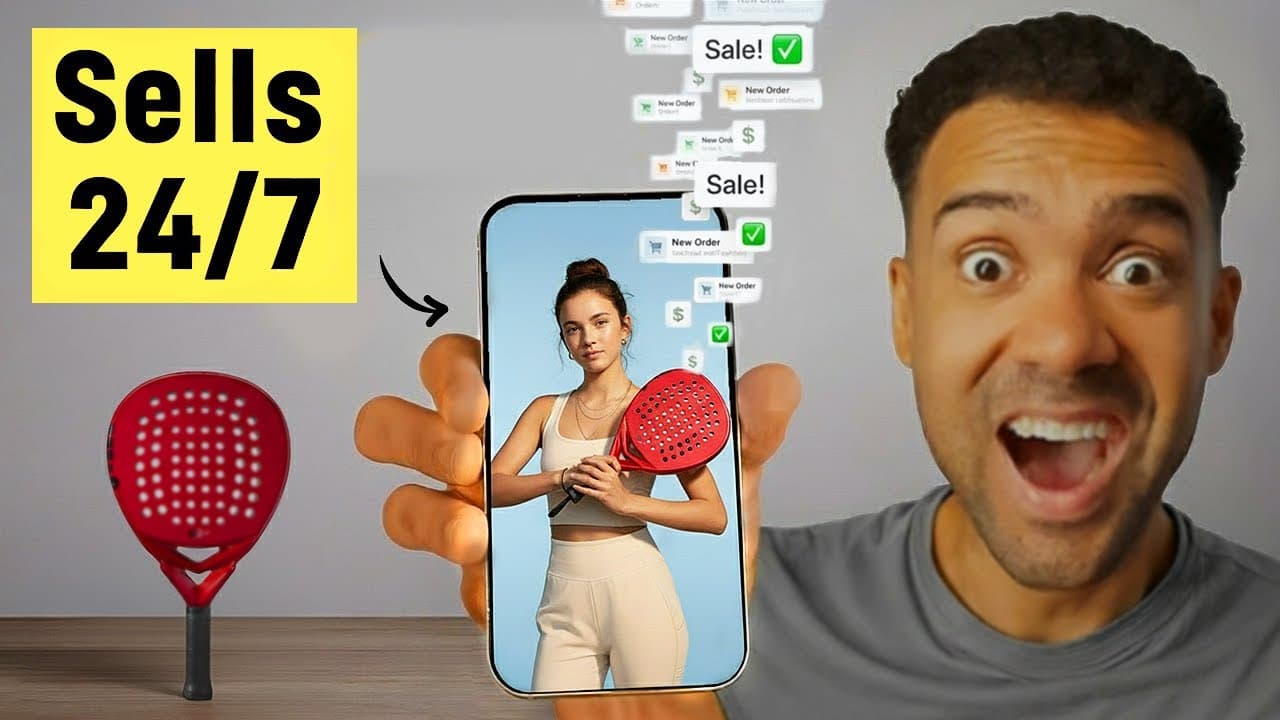
- Upload your product shot: In the same Gemini chat thread, upload a high-quality picture of your physical product (like the red padel racket I used in my demo).
- Write the product-holding prompt: Instruct Gemini to place the uploaded product naturally into the hands of the influencer generated in Step 1. Focus the prompt on maintaining the exact background, lighting, and model appearance.
- Download the result: Once generated, download the final blended image of the model holding your product.
 Caption: Uploading the product image and prompting Gemini to generate a seamless, realistic product-holding image.
Step 3: Animate the Influencer with Creatify Aurora Avatar
Once you have the static image of your model holding your product, it's time to bring them to life with a professional voiceover and realistic mouth movements.
Creatify is a dedicated e-commerce video ad generator built to streamline short-form UGC ad production. Inside Creatify, we use Aurora Avatar, a specialized avatar rendering model designed specifically for high-fidelity lip-syncing and natural facial expressions.
Try it here: Try Creatify →
How to animate your image:
- Open Aurora Avatar: Log into Creatify, head to Creative Tools, and select Aurora Avatar.
- Upload your image: Upload the blended product-holding image you downloaded from Gemini.
- Write your script: Paste your high-converting ad copy into the text field (e.g., "I love playing padel! And it's so much easier now that I have my new racket...").
- Choose a voice: Select an ultra-realistic synthetic voice from Creatify's library that fits your model's persona.
- Generate the video: Click Create video and allow the AI a few minutes to render the final speaking video.
 Caption: The Aurora Avatar interface in Creatify where we upload our blended image, insert our script, and select an ultra-realistic voice.
Step 4: Generate Instant Product B-Roll Video Ads
Before we scale our influencer army, I want to show you a shortcut to generate high-end, standalone product b-roll clips from a single photo. If you want to keep costs low, this is a massive time-saver compared to hiring a professional film studio.
Creatify's Product Video tool is a specialized asset generator designed for e-commerce marketers. It takes a raw, flat product photo and applies realistic environments and physics to generate 5-second video sequences.
How to generate product b-roll:
- Select Product Video: In the Creatify dashboard, navigate to Creative Tools and choose Product Video.
- Upload product photo: Upload your product shot (e.g., a padel racket against a simple white background).
- Select product placement: Select the physical location where your product should sit in the video frame.
- Input scene action: Describe what you want to happen in the environment around the product.
- Render clip: Set your desired clip duration (e.g., 5 seconds) and click Generate to turn the static product shot into an engaging video.
 Caption: Uploading a standalone product shot and defining the physical location placement to generate high-end, 5-second b-roll.
Step 5: Swap Influencer Characters for Rapid A/B Testing
The real power of this strategy is the ability to easily swap characters and voices to find the best-performing variation for your social media ads.
To achieve this without changing the product position, background, or lighting, we use Creatify's Asset Generator powered by Google's Nano Banana model. Nano Banana is an advanced image-to-image diffusion model that excels at maintaining strict environmental consistency while performing precise character face swaps.
Try it here: Nano Banana
How to swap influencer personas:
- Open Asset Generator: In Creatify, go to the Asset Generator and select Image to image.
- Select Nano Banana: Make sure your selected active model is set to Nano Banana.
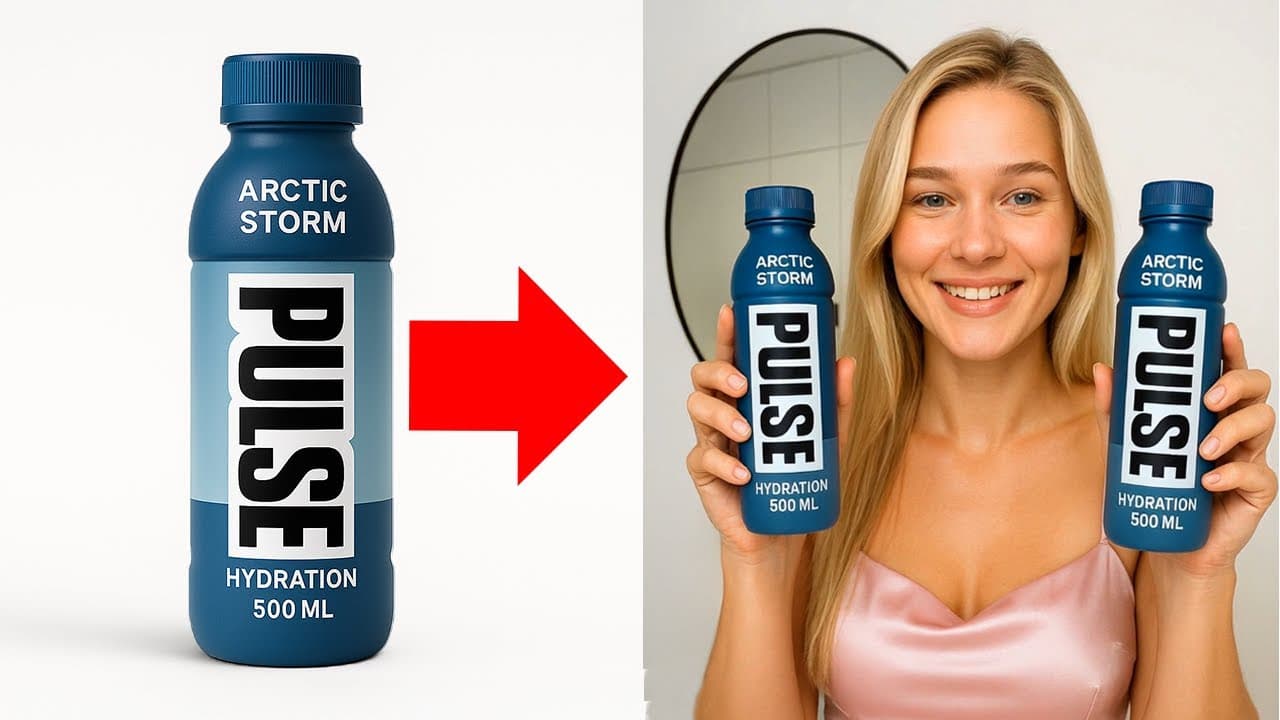
- Upload reference image: Upload your original Gemini-generated image of the female influencer holding your product.
- Input the character swap prompt: Describe the new character you want to create (e.g., turn the woman into a man with tattoos). Crucially, instruct the AI to maintain the exact clothing, background, and lighting style of the original.
- Generate variations: Set the output count to four and click generate. You will receive four distinct character options holding your product in the exact same pose.
- Download and animate: Download your favorite variation, head back to Aurora Avatar, upload the new image, apply a matching male voice, and render your alternative ad.
 Caption: Utilizing the Nano Banana model's image-to-image capabilities within Creatify's Asset Generator.
 Caption: The four high-fidelity outputs showing our original female influencer converted into a realistic man with tattoos.
 Caption: Combining the newly generated male influencer image with a matching synthetic male voice in Aurora Avatar.
Scale Your Automated E-Commerce Video Ads
By deploying these steps, you can instantly scale your creative output from a single image to an army of realistic AI spokespersons. Rather than putting all of your budget behind a single human creator, you can run multivariate tests with different faces, genders, and voices to uncover what genuinely connects with your buyers.
If you are putting your finished video ads together in an editor and need high-quality background audio, check out my step-by-step video on using text-to-music generators to round out your production.
Frequently Asked Questions
Can I use Creatify for free?
Yes, Creatify offers a free trial plan that includes 10 credits per month with watermarked exports. what Creatify costs per finished minute against the alternatives To use premium features like the watermark-free downloads and the high-fidelity Aurora Avatar model, you will need to upgrade to a paid subscription.
What is Google's Nano Banana model?
Nano Banana is Google's advanced image-generation model (integrated inside Gemini and Creatify's Asset Generator) built for creating ultra-realistic product and fashion visuals. It is exceptionally powerful at maintaining character and scene consistency across image edits.
Does the AI maintain the product's exact details?
Yes. By providing a high-quality initial photo of your product and utilizing advanced reference-image prompts within Gemini and Nano Banana, the AI preserves the specific shape, color, and design of your product while generating realistic hands holding it.