AI Motion Graphics & Video Generation: The Complete Guide

July 18, 2026
21 min read
AI Motion Graphics & Video Generation: The Complete Guide

If you are still trying to create high-performing video content or polished animations by typing "cinematic corporate explainer" into a generic prompt bar and crossing your fingers, you are fighting a losing battle. The AI video generation landscape has shifted completely. We have moved past the era of chaotic, dream-like hallucinations that look interesting but are utterly useless for professional work. Today, scaling a brand, producing content that converts, and generating precise ai motion graphics requires absolute control, repeatable frameworks, and native software integration.

Over on my channel—where 134,000 of you tune in for hands-on, no-BS video tool tests—I have spent years stripping away the marketing hype to see what actually works in production. We do not do "AI wizardry" or "passive income secrets" here. Instead, we look at the raw mechanics of systems like Claude Fable 5, the Higgsfield Supercomputer, Remotion, and Google's Nano Banana 2 to find out how they can be weaponised for real-world marketing and motion design. Whether you are an independent creator looking to speed up your post-production or a brand manager tasked with scaling ad creatives, you need a reliable, repeatable process.

This guide is the master blueprint of everything I have tested and refined. I am going to walk you through exactly how to select the right models for your production pipeline, how to build programmatic motion graphics, how to construct autonomous video generators within your development environment, and how to avoid the identity-drift and formatting bugs that plague beginner setups. Consider this your definitive starting point for AI motion graphics and automated video generation.

What is AI Motion Graphics and Why is the Paradigm Shifting?

Traditional motion graphics have always been a massive bottleneck for creative teams. If you wanted a clean, professional SaaS dashboard walkthrough, a kinetic typography sequence, or a fluid transition, you had to fire up Adobe After Effects, manually build vector layers, set hundreds of keyframes, manage graph editors, and sit through agonizing render queues. Even a minor script change from a client meant diving back into the timeline, shifting keyframes, and re-exporting. It was a labour-intensive, friction-filled process that limited how fast a creator could scale.

In 2026, the concept of AI-driven motion design is no longer about generating abstract, swirling background graphics. The technology has matured into two distinct, highly controllable pipelines that are actively replacing old-school animation workflows:

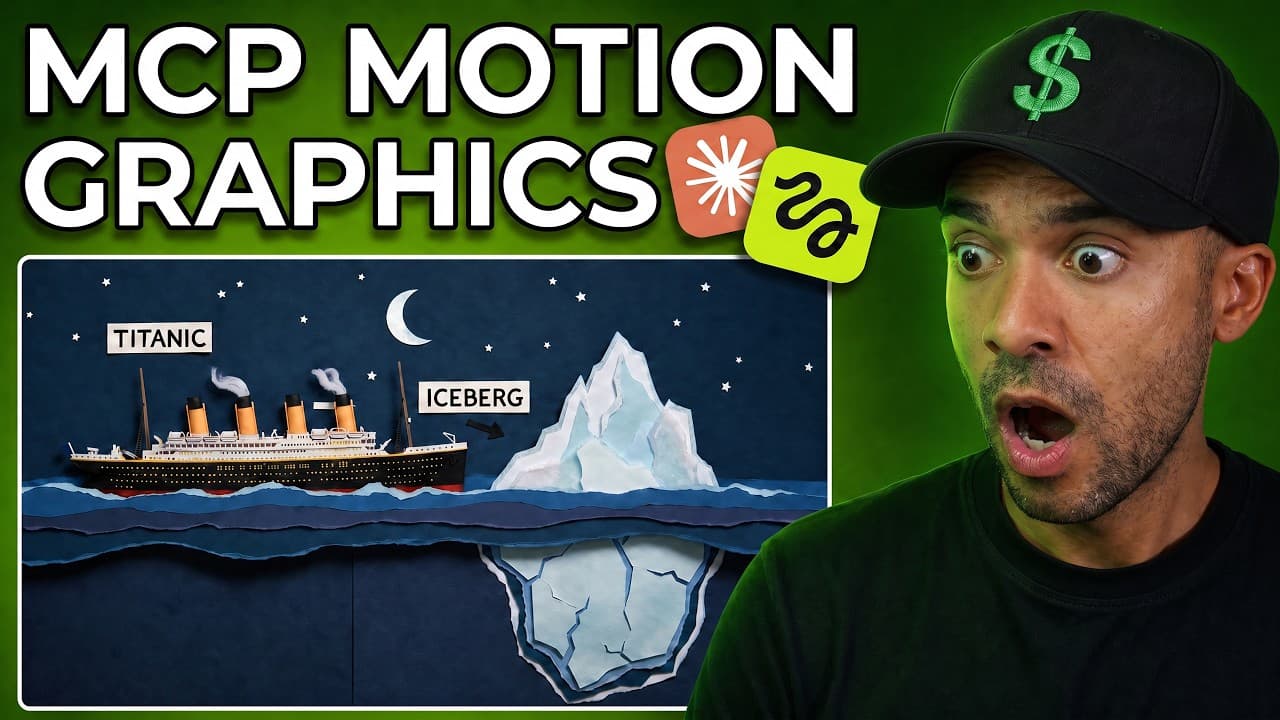
The first is Programmatic (Code-Based) Motion Graphics. Instead of opening a visual editor, we use advanced frontier models to write animation logic directly in React, rendering the final output using a code-based video framework called Remotion. Remotion is essentially a React library that lets you write web code—HTML, CSS, JavaScript—and translates those animations frame-by-frame into a high-quality video file using a headless browser. This approach is a game-changer because your animations are rendered as code components, meaning they are reusable, version-controlled, and instantly editable. I recently put the top reasoning models to the test to see how they handle this code-heavy design process. In my comparative analysis of Grok 4.5 vs Fable 5 - what creates SaaS Motion Graphics best?, I examined how these models handle layout layout and token-efficiency during complex rendering tasks.

The second is Generative Motion Control, pioneered by engines like Higgsfield’s Vibe Motion. Vibe Motion allows you to feed in flat design assets—like an SVG logo, a mobile UI screenshot, or a data chart—and animate them using highly structured, natural-language prompts. Rather than guessing the output, you can iteratively adjust the timing, pacing, and visual style through a chat interface. For a complete step-by-step tutorial on how to set this up for your software products, check out my guide on how to Create SaaS Motion Graphics In Seconds! (Higgsfield Tutorial).

The Frontier Tech Stack: Leading AI Video & Motion Tools Analysed

To build a bulletproof video production system, you must understand the specific strengths and limits of the models available today. We are no longer limited to a single tool; instead, we build multi-model pipelines where each model handles the task it is best suited for. Here is my honest, hands-on analysis of the tools dominating the landscape in 2026:

Higgsfield Supercomputer & Vibe Motion

Higgsfield has successfully transitioned into the ultimate creative infrastructure hub. Instead of forcing you to maintain separate subscriptions for every single visual generator, their Supercomputer environment hosts several of the industry's leading video models under a single roof, including Seedance 2.0, Veo 3.1, and Kling 3.0.

Seedance 2.0 is the standout model for cinematic realism and commercial work because it features native audio-video generation. It doesn't just produce silent clips that require you to layer on audio later; it generates frame-accurate spoken dialogue, ambient environmental noise, and synchronized musical tracks in a single render pass. Kling 3.0 remains the king of stylized, narrative storytelling, while Veo 3.1 provides top-tier physical realism.

Many brands wonder if traditional image-focused tools can compete with a dedicated video stack. In my hands-on marketing tool showdown, Leonardo AI vs Higgsfield: What's Best For Brands?, I broke down the exact feature sets to show which platform is better for generating high-converting video ads and automating daily assets. When I tested Leonardo, I found its "Blueprints" area had only 24 presets, like a Product Photography template or a Product Spin video. I uploaded an image of a drinks can and a photo of myself to its "Model Holding Product" preset, and in 10-20 seconds it generated three images of me holding the can. However, those templates are quite limited compared to Higgsfield's dedicated Marketing Studio, which lets you input an Amazon URL directly to pull product data automatically.

Claude Fable 5 (Anthropic's Mythos Class)

Claude Fable 5 is not just a text generator; it is the brain of your creative engine. Thanks to its massive context window and advanced reasoning capabilities, Fable 5 can interpret complex visual layouts, read UI files, write animation logic, and interact directly with system environments. When paired with code-based rendering engines, it acts as a virtual motion designer that can build, test, and render complete visual sequences autonomously.

In my testing of Fable 5 within the Higgsfield Supercomputer environment, I found it excels at running long tasks aimed at a single goal, constantly checking its work for mistakes along the way. When copying motion graphics from an existing video, Fable 5 was consistently the better model over Grok 4.5, producing silky smooth cycle animations where Grok fell into repetitive loops. However, Fable 5 isn't always perfect—it occasionally failed to highlight text properly and added a stray blue mouse cursor that wasn't in my original reference video.

Google's Nano Banana 2 & 2 Lite

Built on Google's Gemini Flash infrastructure, Nano Banana 2 has completely transformed image editing and asset generation. It is a contextual, multi-turn conversational editor. You can give it an initial product image and say, "Change the background to a sleek, modern office at dusk, adjust the lighting on the product to match, and write 'Launch Day' across the top in a clean sans-serif font". It executes these localized edits without changing the underlying product shape.

In AI video, character consistency is everything. If your character’s face shifts from shot to shot, your video looks like cheap AI slop. I put Google's editor head-to-head with Higgsfield's proprietary Soul ID model to see which one manages to beat identity drift across complex scenes. Read my honest verdict in Higgsfield AI Character Consistency vs Nano Banana - Who Wins?.

Advanced Workflows: Building an Autonomous Production Engine

The real magic happens when you connect these individual tools into an automated, conversational workspace. In 2026, we do this using the Model Context Protocol (MCP).

The Higgsfield MCP Connector

Historically, generating AI assets meant constantly downloading images from one tab, uploading them to another, writing a prompt, downloading the video, and bringing it into your editor. It was a massive waste of time and disrupted your creative momentum. The Higgsfield MCP solves this by giving Claude "actual hands".

By connecting the Higgsfield MCP custom connector to your Claude workspace, you can instruct Claude to generate still images, edit assets, and render cinematic video clips directly inside your chat. You can plan a multi-channel campaign, build a creative brief, and output the actual high-quality media without ever leaving your terminal or chat window. I have mapped out the exact connection process and prompt structures in my comprehensive guide, Claude + Higgsfield MCP = viral content for ANY business!.

For those who want a dedicated image-editing chatbot focused purely on rapid brand modifications, you can connect the lightweight version of Google's editor to your workspace. Learn how in Nano Banana 2 Lite + Claude = An AI Image Editor Chatbot!, where I teach you how to bulk-edit dozens of marketing assets with a single conversational command. When I tested bulk editing inside Claude using the Nano Banana 2 Lite model, I added pink sombreros to a batch of eight uploaded photos in one go. The thing nobody tells you is that Claude has strict policies that block editing images of men or women. To get around this restriction, I discovered a simple hack: instead of writing "do this to the man," you must tell Claude to "change the subject." Using the word "subject" gets you past the block every single time.

Long-Form Video Generation

For the longest time, AI video was limited to 4-second loops. Assembling a coherent, narrated, long-form video was nearly impossible. Today, you can chain multiple models together to handle everything from scripting to final rendering. By combining Anthropic's reasoning with Google's multimodality, you can generate continuous, structurally sound videos of up to 10 minutes. I share my tested prompts and bug fixes for this setup in Claude Fable 5 + Gemini Omni Just Changed AI Videos Forever!.

Automating at Scale with n8n

If you want to take your hands off the steering wheel entirely, you can build your own automated video generation pipeline. By setting up a visual automation tool like n8n and connecting to fal.ai, you can build a system that automatically generates and delivers video assets whenever a trigger occurs (like a new product being added to Shopify).

To build this yourself without getting tripped up by JSON formatting errors, follow my detailed developer tutorial: Build Your 1st N8N Video Generator With Me! (easy tutorial). Once you have your backend built, you might want to compare how to scale your bulk content output across social channels. I compared the top bulk automation platforms in Genspark vs Higgsfield: what does bulk content creation best? to help you decide which tool handles end-to-end publishing. When I ran my n8n workflow, I set the trigger to fire whenever a new video idea was added to a Google Sheet. I used the fal.ai platform to tap into Veo 3 Fast, which costs $3.20 per automated run. If you don't need fully hands-off automation, I found it's way cheaper to generate these manually in Google Flow, where it costs as little as 20 cents per run and you get free monthly credits.

Creating High-Converting Ads and Vox-Style Content

To make AI video profitable, you must focus on formats that capture attention, explain value clearly, and drive sales. Let’s break down the two highest-performing formats in our testing:

Vox-Style Explainer Animations

You have almost certainly seen Vox videos: highly engaging, cinematic documentaries that use map animations, data visualizations, and fluid 2D motion graphics to explain complex topics. Building these manually takes an entire team of designers weeks of keyframing.

With AI, you can generate these in minutes by pairing Claude's analytical scripting with Higgsfield's physical motion engines. The secret is breaking down the production into a 7-part prompt workflow that maintains structural clarity while keeping the visuals highly kinetic. I break down this exact formula step-by-step in my guide: Fable 5 + Higgsfield = EASY Vox-Style Motion Graphics!. When I tested this, I uploaded a reference clip of actual Vox motion graphics to Higgsfield's Supercomputer to act as visual inspiration, then typed in a prompt specifying the goal, the World Cup topic, script pacing, specific objects to show, sound effects (with no music), voiceover choices, and a review instruction. I found that top video generators will block requests if you try to generate realistic faces of people due to copyright bans, so it is easiest to design your explainer video to avoid showing human faces entirely.

URL-to-Ad Generation with Higgsfield Marketing Studio

If you run an eCommerce store or digital agency, the Higgsfield Marketing Studio is the most powerful tool in your toolkit. You do not need to upload raw footage or write complex visual descriptions. You simply paste a product link, and the system scrapes the page, writes a high-impact advertising script, generates on-brand visual assets, and renders a fully finished video ad.

I put this through a rigorous hands-on test using live client products. Check out my honest review and setup guide in Higgsfield Marketing Studio Is WILD! Instant Ads For ANY Brand!. In my testing, I grabbed a random Amazon URL for a pack of balloons, pasted it into Higgsfield, and it set up the product slot automatically in seconds. I selected my pre-made avatar, set the video length to 8 seconds, and chose the "TV Spot" preset. It usually takes 2 to 3 minutes to generate. I did hit a couple of failure modes: the generator blocked my attempts to create ads for a pair of boxing gloves, flagging them as "not suitable for work" (likely due to policies around aggression), and it refused to generate ads featuring highly recognizable brand-name products.

To take this automation even further, you can run this entire marketing funnel straight from your conversational workspace. By linking Claude's strategic intelligence with the Marketing Studio backend, you can generate 30 days of high-performing visual ads in a single afternoon. I walk through this exact integration in Claude + Higgsfield Marketing Studio = Insane Ads In Minutes!.

AI Video for Marketing: Influencers, UGC, and Beyond

As social media algorithms continue to reward video content, brands must diversify their creative outputs to stay competitive. Here is how we use AI video tools to scale social marketing campaigns without expensive crews:

Virtual Brand Influencers

Hiring human influencers is expensive, slow, and comes with a massive lack of control. In 2026, many brands are building proprietary digital spokespeople. These AI characters can hold, demonstrate, and talk about your physical products with astonishing realism. The beauty of this approach is that you can instantly swap the influencer's demographic, age, or language to run highly targeted A/B ad tests. I reveal my exact product-holding and character-animation workflow in Create An AI Influencer For Your Products (24/7 Salesperson). When I tested this workflow, I used Google Gemini to generate the initial image of my influencer holding a product (a red padel racket). I then imported this image into Creatify's "Aurora Avatar" tool, pasted my script, chose a voice, and generated a highly realistic video. To swap the character, I used Creatify's "Asset Generator" in "Image to image" mode with the Nano Banana model, which let me instantly transform the female character into a tattooed male model while perfectly preserving the product, clothing, and background.

Realistic AI UGC Ads

User-generated content (UGC) is the highest-converting format on platforms like TikTok and Meta. However, hiring UGC creators, sending them physical products, and waiting for them to film and edit footage is a logistical nightmare.

Using my 3-step IVA (Identify, Visualise, Animate) framework, you can generate hyper-realistic, native-looking UGC video ads in under 20 minutes without ever sending a product or hiring an actor. I detail this exact framework in Create AI UGC video ads to hold any product!. When I ran through this process in Creatify, I uploaded a drink product shot and selected a pre-made avatar (Joanna sitting in a bathroom). In under 60 seconds, it generated a static image of her holding the bottle. To turn this into a video, I hit "generate video" and chose the "showcase style", prompting for the camera to move closer and for her to smile. While the image generation is almost instant, turning the image into a video takes about 10 minutes, but that is still a massive time saver compared to waiting weeks for a real influencer.

Fast Social Scaling & Editing

When you already have a library of raw video assets and need to quickly spin up dozens of localized social media shorts, VEED.io remains a fantastic tool. Their AI avatar and translation tools allow you to take a single master video, translate it into multiple languages with perfect lip-sync, and export short-form clips in minutes. For a complete guide on how to integrate this into your social media schedule, check out my VEED.io AI Video Generation Tutorial - Avatars & AI Videos!. In my hands-on run with VEED, I typed in a prompt for a YouTube Short about crazy Earth facts. VEED's AI automatically researched the topic, wrote a script, generated the avatar "Maya" speaking the lines, added background music, and overlaid subtitles using the "Rizz" preset style. I found some of the default stock footage a bit boring, but VEED makes it incredibly easy to swap out clips—I searched their built-in library for "YouTube" and replaced a generic clip with high-quality footage of someone scrolling through their phone in just a few clicks.

Cinematic Film and Music Production

If you want to create highly narrative, story-driven videos or full AI films, you need a structured production method. I developed the 4-step SIVS (Script, Image, Voice, Stitch) method to bypass creative blocks and assemble complete, cinematic stories in under ten minutes. Follow along with my complete tutorial in How To Make an AI Film in 8 Minutes (AI Film Generator Tutorial). When I built my Star Wars-style short film using this method, I used ChatGPT to write a three-act script with dialogue. For the visuals, I used aivideo.com with the Flux 1.1 Ultra model to generate a high-quality landscape image of a female Jedi. I then right-clicked the image, selected "Generate video from image", and chose Kling 2.0 Master to render a 10-second cinematic video clip.

To complete the cinematic package, you will need high-quality audio. If you want to generate full soundtracks or catchy background beats without copyright issues, I show you how to do it in Make an AI Song + Music Video in 5 Minutes (no skills needed!). During my music video tests on aivideo.com, I generated a 30-second K-pop track in about 30 seconds, uploaded it to the music video generator, annotated the track to guide the AI, and selected the "disposable flashback" Polaroid style. One annoying issue I noticed is that this generator has a habit of automatically adding wavy VHS lines and zoom effects over every shot. To fix this, I simply select those zoom and wavy layers on the timeline editor and hit delete, which instantly cleans up the footage.

Choosing the Right AI Video Tool (Comparison Table)

With so many tools on the market, it is easy to get overwhelmed. To help you select the best platform for your specific business needs, I have put together this direct comparison of the leading systems we have discussed, complete with verified 2026 capabilities and pricing structures:

PlatformPrimary Use CaseKey StrengthsNotable DrawbacksStarting Price (2026)
Higgsfield AIMulti-model video generation, Vibe Motion, Marketing AdsAll-in-one subscription (Seedance 2.0, Kling 3.0, Veo 3.1); native audio-video sync; excellent character consistency.Credit consumption varies by model; credit roll-over is not supported.$5/month (Basic); $49/month (Plus); $129/month (Ultra)
Claude Fable 5Coding, complex logic, programmatic motion designUnmatched reasoning and context window; excellent for writing React/Remotion animation components.Can be expensive for high-volume token output; requires development knowledge.API: $10 per 1M input / $50 per 1M output tokens
Google Nano Banana 2 ProIterative, conversational image editingIncredible identity-consistent image modifications; changes details via chat.Video output is handled via external model integrations (like Veo 3); results can vary on complex multi-image blending.Free (AI Studio API) or $19.99/month (Gemini Advanced)
VEED.ioSocial media editing, multi-language avatars, shortsFast text-to-speech avatar generation; automatic transcription and translation with highly accurate lip-syncing.Generative video quality is less cinematic than Higgsfield; limited control over physics or raw generation.$18/month (Basic); $30/month (Pro)

Common Pitfalls and How to Avoid Them

Even with the best tools, it is easy to produce low-quality results if you fall into common design traps. Here are the most frequent mistakes I see creators making, and exactly how you can avoid them:

  1. The "Vibe-Only" Prompting Trap: Many creators rely on vague, natural-language prompts like "make it look cool and dynamic." Generative models need structure. If you are animating UI elements or motion graphics, specify spatial coordinates, camera movements (e.g., "slow, steady 2D pan left-to-right"), and clear timing constraints. If you are using code-based tools, provide exact component dimensions to avoid broken layouts.
  2. Ignoring Character Identity Drift: Nothing ruins a narrative video or ad campaign faster than a character whose face changes in every shot. If you are building multi-shot campaigns, do not rely on generic prompts. Prioritise tools with dedicated consistency layers like Higgsfield’s Soul ID, or utilise first-and-last frame references to anchor your character's facial geometry before hitting render.
  3. Audio-Video Desynchronisation: Avoid generating silent clips and slapping a generic AI voiceover on top later. It instantly triggers the "uncanny valley" effect. For speech-heavy marketing videos, use models that feature native audio generation (such as Seedance 2.0 inside Higgsfield) or utilise dedicated AI lip-syncing suites like VEED.io's presenter tools to lock the audio perfectly to the visual performance.
  4. Agentic Schema Validation Bugs: When setting up advanced workflows like the Higgsfield MCP inside Claude Code, you will occasionally encounter schema mismatches or parameter wrapper validation bugs. If Claude fails to trigger a generation, check your JSON formatting and ensure you are passing the correct argument structures (e.g., verifying image file paths or URL payloads) to avoid breaking your wait loop.

FAQ

Can AI actually replace traditional After Effects motion designers?

No, not entirely. While tools like Higgsfield Vibe Motion and Claude Fable 5 can generate stunning 2D motion graphics and SaaS walkthroughs in seconds, they lack the pixel-perfect, manual keyframe control required for complex, bespoke high-end commercial animations. Instead of replacing designers, AI is supercharging them—allowing creators to handle the bulk of layout and initial animation rendering in minutes, leaving the final polishing and compositing for After Effects or DaVinci Resolve. When I tested Higgsfield's Vibe Motion tool, it took me less than 5 minutes to write out a detailed visual prompt for a contact card animation, which generated a fully editable layout in real-time. However, I found that the customization options don't work perfectly yet; for instance, changing the font size or font weight sometimes fails to render, though changing text colors worked fine.

How do I maintain exact brand colours and logo shapes in generative AI video?

The best way is to use image-to-video models with high-fidelity control or conversational image editors like Google's Nano Banana 2. Rather than asking the AI to draw your logo from a text description, upload a high-resolution PNG or SVG of your exact logo first, and use physical motion engines (like Higgsfield Vibe Motion) to apply animations purely to the motion paths, keeping the original graphic elements intact.

What is the cheapest way to generate AI video ads at volume?

The most cost-effective method is to use a multi-model workspace with a flat subscription model. Higgsfield AI’s Plus plan ($49/month) or Ultra plan ($129/month) gives you a shared credit pool to access premium video models like Seedance 2.0 and Kling 3.0, which is significantly cheaper than maintaining separate premium subscriptions for each individual generator. For developers, building a custom pipeline using n8n and pay-as-you-go APIs like fal.ai is also highly cost-efficient.

Is it better to run these video and motion models locally or in the cloud?

For professional video generation, cloud-based rendering is almost always superior. Models like Veo 3.1, Seedance 2.0, and Kling 3.0 require massive server-side GPU infrastructure that even a top-tier local RTX 4090 cannot run efficiently. While you can run basic image editing or light open-source video models locally via ComfyUI, using cloud-based suites or API pipelines ensures you always have access to the latest frontier quality without slowing down your local machine.

Related Articles

Enjoyed this article?

Check out more insights on AI video tools and stay ahead of the curve.