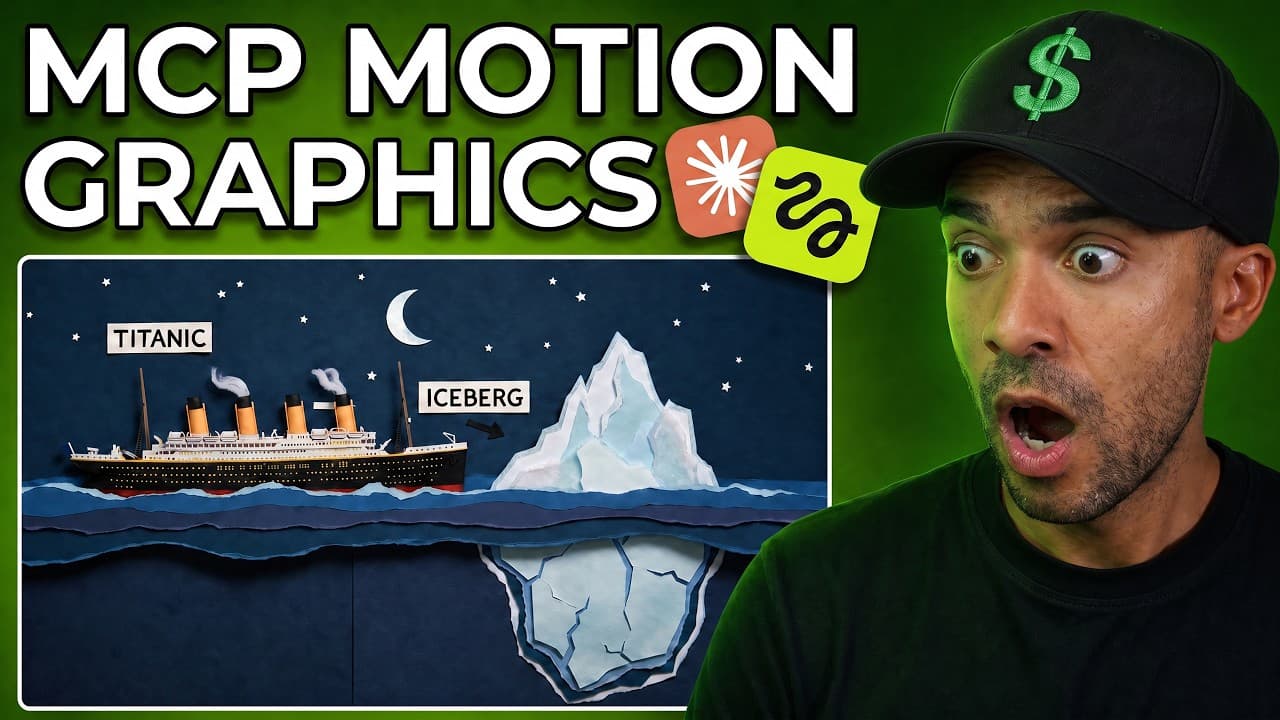
Claude Fable 5 + Gemini Omni Just Changed AI Videos Forever!
Last updated: July 2026
By Greg Preece — I test new AI video tools and workflows hands-on the week they launch, and everything in this guide comes from videos I actually generated myself.
Disclosure: This post contains an affiliate link. If you sign up through it, I may earn a commission at no extra cost to you.
Claude can now generate fully narrated, animated AI videos up to 10 minutes long — from a single prompt. This is powered by Claude Fable 5 and Google's Gemini Omni, working through the Higgsfield connector inside Claude. If you're a faceless creator, or you have zero animation skills, this guide walks you through the exact workflow I used, including the two bugs I hit and how to fix them.
TL;DR
- What's new: With Fable 5 selected and the Higgsfield connector active, Claude can generate long-form animated videos with voiceover — up to 10 minutes — instead of just single short clips.
- How it works: You write one structured prompt, Claude asks you to pick an animation style, language, aspect ratio, subtitles, and a narrator voice, then generates every shot and mixes the final video for you.
- The models: Claude Fable 5 handles the long-running task; the video itself is rendered in Gemini Omni.
- What I found in testing: Wide (16:9) videos work great. Vertical (9:16) output is buggy right now — stick to widescreen for the moment.
- If a shot fails: Screenshot the failed generation, paste it into the chat, tell Claude which block failed, and it regenerates it.
Prefer to watch? Here's the video. Prefer to skim? The full breakdown is below.
Quick link — Higgsfield: Try it here: Try Higgsfield →
Table of Contents
- What Just Changed in Claude
- What You Need Before You Start
- How to Write the Prompt
- How to Set Up the Higgsfield Connector
- Generating the Video Step by Step
- Known Bugs and How to Fix Them
- Generating Directly Inside Higgsfield Instead
- Why This Matters for Automation
- FAQ
What Just Changed in Claude
Until very recently, plugging the Higgsfield connector into Claude only let you generate single short clips. That was useful, but it wasn't "make me a whole video" useful.
That's changed. Claude Fable 5 — Anthropic's top-tier model for long-running work — is built to keep working on really long tasks without giving up partway through. Pair that with Gemini Omni, Google's video generation model, and the Higgsfield Explainer workflow that connects them, and Claude can now research a topic, script it, narrate it, generate every individual shot, and mix it all into one finished video up to 10 minutes long.
I tested it the day it dropped. My first video was a football explainer — two teams, one ball, "the golden rule is no hands" — fully animated and narrated, generated from one prompt. My second test was a skateboarding tricks video where I uploaded a photo of myself and had Claude insert me as the main character throughout. It worked.
You get real creative control too:
- Tons of different animation styles
- A library of narrator voices to choose from
- Optional burnt-in captions
- Wide (16:9) or tall (9:16) aspect ratio
This is clearly built for faceless creators and anyone with no animation skills at all.
What You Need Before You Start
Three things:
- Claude (I use the desktop version for the connector setup).
- Claude Fable 5 selected as the model in the model picker.
- The Higgsfield connector installed and activated in Claude's connectors section (setup below).
How to Write the Prompt
The prompt matters. Through trial and error, I've found four things that need to be in it for this to work properly:
- The topic, format, and length. Tell Claude what the video is about, that you want it narrated with a voiceover and animated, and how long it should be. I asked for 60 seconds in my demo — you can go up to 10 minutes, but longer videos cost more, so start small.
- Visual consistency. Include a line telling Claude to keep the visual style and the characters consistent throughout the whole video. I've learned this line is important — skip it and things drift.
- Your character (optional). If you want yourself in the video, tell Claude to include the person in the attached image as the main character, then upload a photo of yourself using the attach button so it's pinned to your prompt.
- Shot pacing. Tell Claude how often you want the shots to change. My personal preference is a new shot every 3 to 5 seconds, so that's what I put in the prompt — adjust to taste.
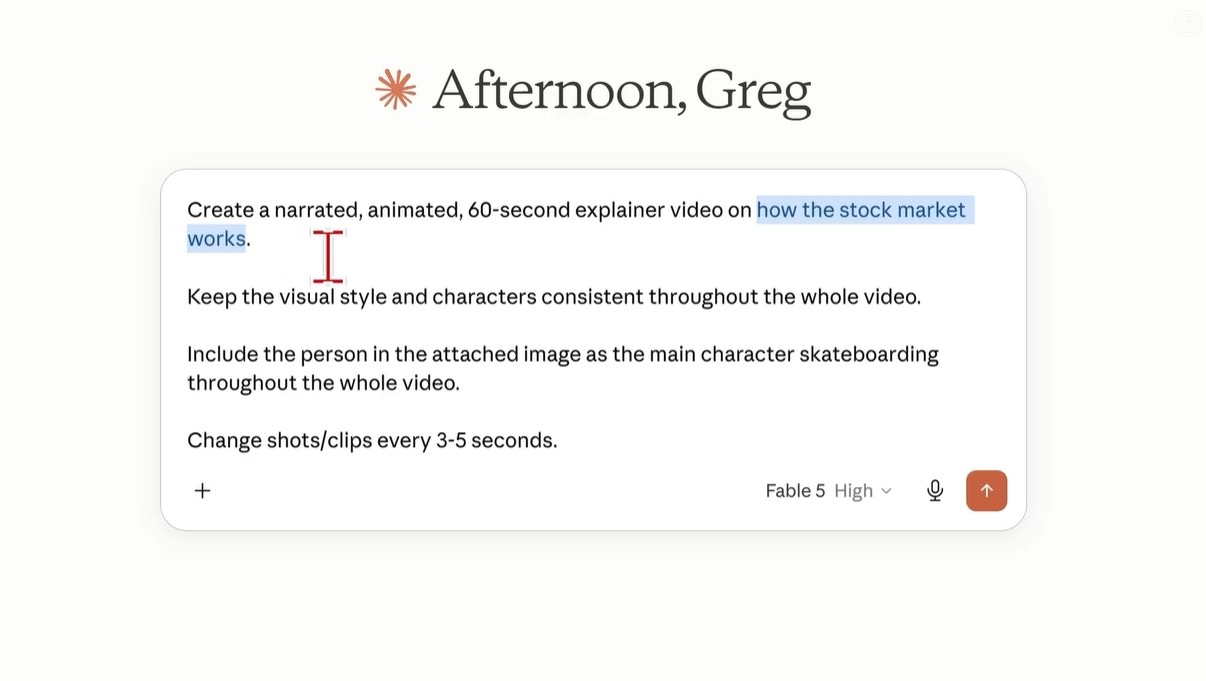
Caption: My actual prompt structure — topic and length first, then visual consistency, character reference, and shot pacing.
How to Set Up the Higgsfield Connector
The Higgsfield connector is what gives Claude the ability to generate these videos. Here's the setup:
- Go to the Higgsfield website and sign up for an account.
- Once logged in, click the MCP CLI link at the top of the site.
- Make sure MCP and Claude are selected as your options.
- Follow the three steps shown on that page to install the Higgsfield MCP plugin in your desktop version of Claude.
- Back in Claude, open the Connectors section and confirm Higgsfield appears there — and make sure it's toggled on.

Caption: What you want to see before you hit submit — Higgsfield listed and switched on in Claude's connectors.
Generating the Video Step by Step
With your prompt written, Fable 5 selected, and Higgsfield activated, press submit. Claude then walks you through a series of choices:
- Animation style. Claude pops up a screen of styles. Pick one — it fills a template instruction into the chat box. Press enter to continue.
- Language. I chose English.
- Aspect ratio. Widescreen 16:9 or tall 9:16. (Go wide for now — see the bugs section below.)
- Subtitles. Burnt-in or none.
- Re-upload your image if asked. Claude sometimes asks you to attach your character photo again mid-process. If that pops up, just re-upload and press submit.
- Pick a narrator voice. Claude shows a library of voices you can preview by pressing play. I listened to Arthur, then Gia, and went with Gia. Click your choice, press submit.
Claude then starts generating each shot — you can see it working through the generate-video steps, and you'll notice it's creating the clips in Gemini Omni. After a few more minutes, your finished video appears in the chat with a download button.
The outcome: a complete, narrated, animated video, ready to download to your computer.
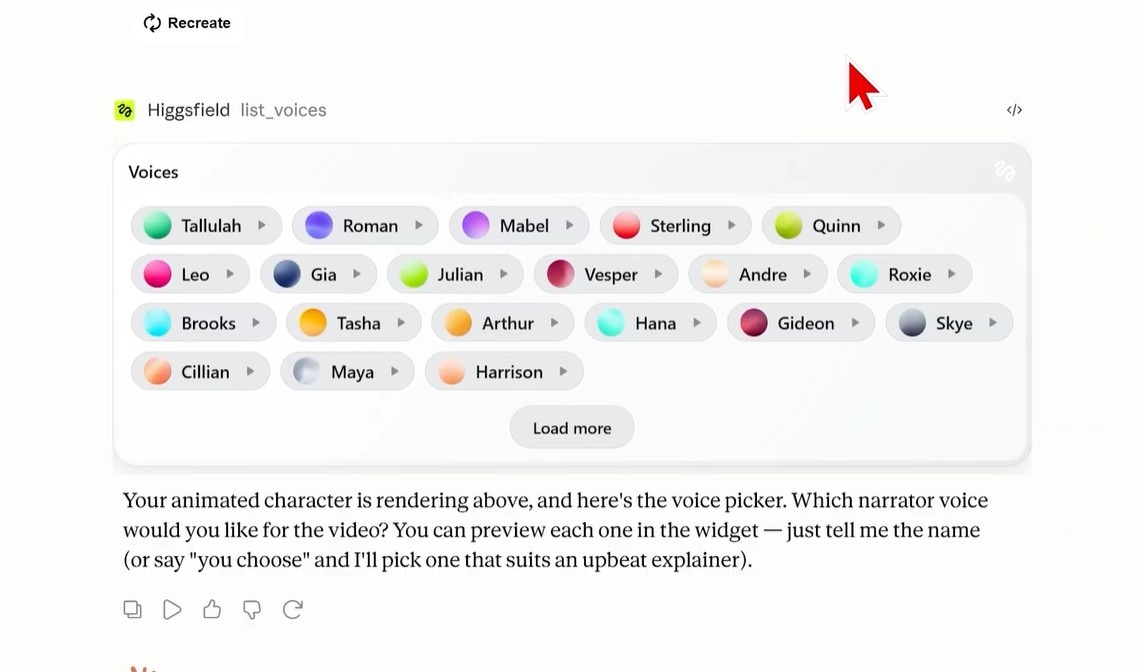
Caption: The narrator voice picker — press play to preview each voice before committing.
Known Bugs and How to Fix Them
This is brand new, and I hit two problems in testing. Both are fixable or avoidable.
Bug 1: Vertical (9:16) video output is broken right now
My stock market test video was my first attempt at a vertical video, and the generation didn't render properly at that size — the subtitles were even getting cut off at the bottom, likely because of the tall sizing. Everything else worked: the animations, inserting me into the video, the narration.
The fix for now: just generate wide 16:9 videos until this gets patched. Horizontal output works great, and I imagine it's only a matter of time until the tall format is fixed.
Bug 2: Individual shots sometimes fail to generate
Occasionally one clip in your video fails mid-process. If you scroll up through the voiceover tracks and individual scenes Claude generated, you'll spot the failed one.
The fix:
- Take a screenshot of the failure screen with your screenshot software.
- Paste the screenshot into the Claude chat.
- Tell Claude which shot failed — in my case the clip was called "block 4," so I typed "block 4 failed to generate."
- Press submit.
Claude regenerates the failed shot, then carries on mixing all the shots and voiceover tracks into your final video.
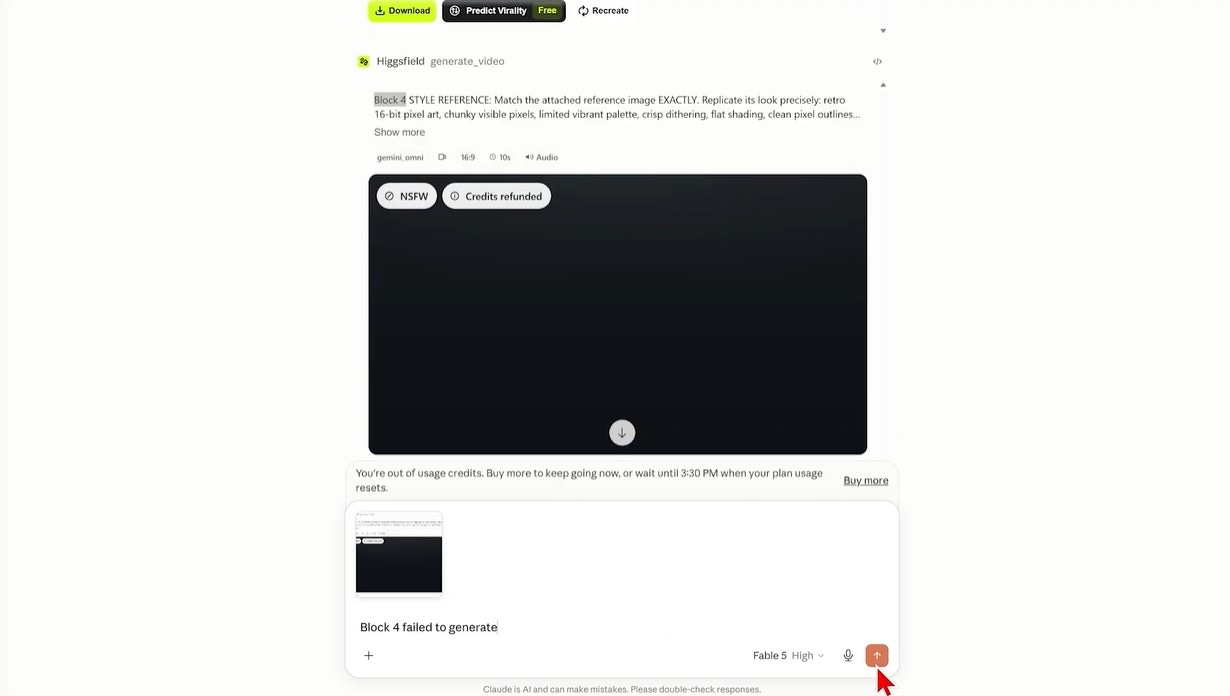
Caption: The failed-generation fix in action — screenshot pasted in, plus a one-line message telling Claude which block to redo.
Generating Directly Inside Higgsfield Instead
You can skip that failed-shot problem entirely by generating these videos inside Higgsfield itself rather than in Claude.
On the Higgsfield site, head to Supercomputer, then press Generate Higgsfield Explainer — you'll see the feature promoted as powered by Fable 5 and Omni. You type your prompt exactly the same way you would inside Claude, and Claude Fable 5 is already selected as the model.
The key difference: if a shot fails to generate inside Higgsfield, it detects the failure and regenerates that shot for you automatically. No screenshots, no manual prompting.
Ready to try it? One link, that's it: Try Higgsfield →
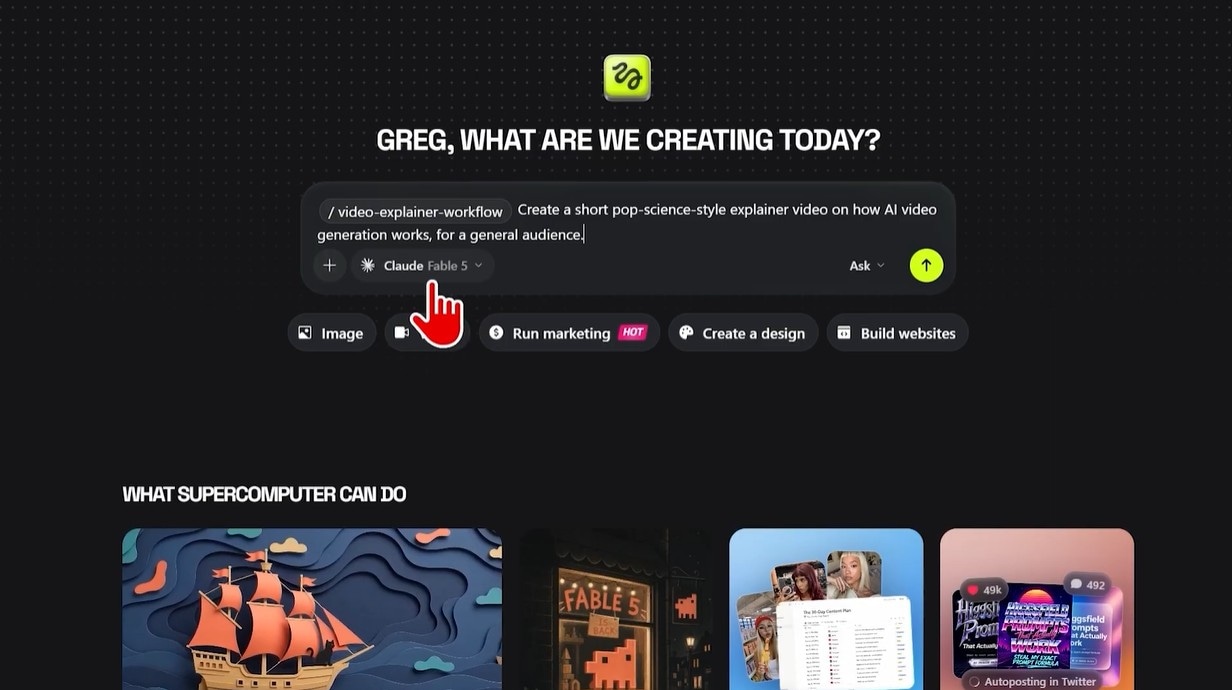
Caption: The Explainer option inside Higgsfield's Supercomputer — same prompt, automatic failed-shot recovery.
Why This Matters for Automation
Here's the part that blew my mind. Every choice Claude asks you for mid-process — voice, animation style, subtitles, aspect ratio — can be answered in advance. If you type those answers directly into your original prompt, Claude already knows them, so those pop-ups never appear. The whole thing becomes a completely automatic process.
Now imagine chaining that: another plugin automatically finds the latest trending topics, feeds them into Claude, and Claude turns each one into a finished narrated video. That's a pipeline for creating tons of content on the most current viral topics — hands-off. Little glimpses of that are already possible with this setup, and I think it's pretty crazy.
FAQ
How long can the videos be? Up to 10 minutes. Just remember: the longer the video, the more it costs, so test with short runs (I used 60 seconds) before committing to long ones — here is what Higgsfield's credits actually cost.
Can I put myself in the video? Yes. Upload a photo of yourself and tell Claude to use the person in the attached image as the main character throughout. It inserted me into my skateboarding video without issue.
Which model do I need selected in Claude? Claude Fable 5. Make sure it's picked in the model selector before you submit — this workflow depends on Fable 5's ability to keep working on long tasks.
Do vertical videos work? Not reliably yet, in my testing. Generate wide 16:9 videos for now and revisit tall 9:16 once the bugs are fixed.
What renders the actual video? The clips are generated in Gemini Omni, Google's video model — you can see this happening in Claude during the generation steps.