The Best AI Avatar Tool for B2B Software Teams
Last updated: 23 September 2026
Author: Greg Preece — I cover AI video tools and practical creator workflows.
I have made video for a living for 10 years and run a YouTube channel of over 130,000 subscribers, and I have built an avatar of myself in HeyGen. Here is why I would point a B2B software team at it.
If you sell software and your product changes every few weeks, HeyGen is the right tool. It is an AI avatar tool that builds a digital version of a real person from one short recording, then has that person present any script you write. It wins for software teams because you update a video by rewriting the script rather than booking the person again.
Most avatar tools are sold on how real the face looks. For a software team the face is not the problem. The problem is that your demo was accurate in March.
In short
- Best for a [[software](/articles/rewrite-flow-test-jv0mg6)](/articles/rewrite-flow-test-po4skg) team that ships often and has one person who is willing to be on camera once.
- One recording of about 30 seconds gives you wide, medium and close-up shots you can keep re-cutting.
- You change a video by editing the script, so a renamed button is a text edit rather than a reshoot.
- The person has to give verified permission before their avatar works, which is a real step to plan for.
- If that person leaves, you own a library of videos fronted by someone who no longer works there.
- I have no complaint pattern to show you for HeyGen, and that is not the same as nothing being wrong.
On this page
- Who HeyGen is for
- The problem a changing product leaves you with
- Why HeyGen solves it
- What I found using HeyGen
- Where HeyGen falls short
- What else I considered
- What HeyGen costs
- Getting started
- Method and freshness
Who HeyGen is for
This is for you if any of these fit.
- You ship product changes often enough that filmed video goes stale before it earns its keep.
- You have one founder, one product marketer or one solutions engineer who will sit in front of a camera once.
- You need the same face across demos, release notes, onboarding and help videos.
- Your videos are one person talking to camera with a screen recording next to them.
This is not for you if any of these fit.
- Nobody at the company will consent to being recreated. There is no way round this and you should not try.
- Your videos are screen recordings with a voice over the top and no face. You need a voice tool, not an avatar.
- You want two people on screen having a conversation. That is not what this builds.
- You publish once a quarter. Filming a person twice a year is cheaper and better.
The problem a changing product leaves you with
Software video has a shelf life that nothing else in marketing has. A brand film is good for 3 years. A product demo is wrong the moment someone renames a menu.
So teams do one of two things. They film properly, the video is beautiful, and 6 weeks later it shows a screen that no longer exists. Or they never film at all, and the product page has a silent screen recording on it.
The money is there for the first option. In the week to 14 August a B2B software company posted on Upwork looking for an on-camera host and editor for its YouTube channel, at 30 to 50 dollars an hour. That is a real budget for a real person. What it does not buy is the fourth re-record in a quarter, because the cost lands again every time.
The reason to look at an avatar is not that the market asked for one, it is that the market keeps paying for the same job twice.
Why HeyGen solves it
One recording covers the shots you would have filmed separately. HeyGen builds a custom avatar from a single short video. Its own page puts the floor at about 30 seconds, and says that one recording gives you wide, medium and close-up shots in any outfit or setting. For a software team that is the difference between a demo that only exists as a talking head and one you can actually cut.
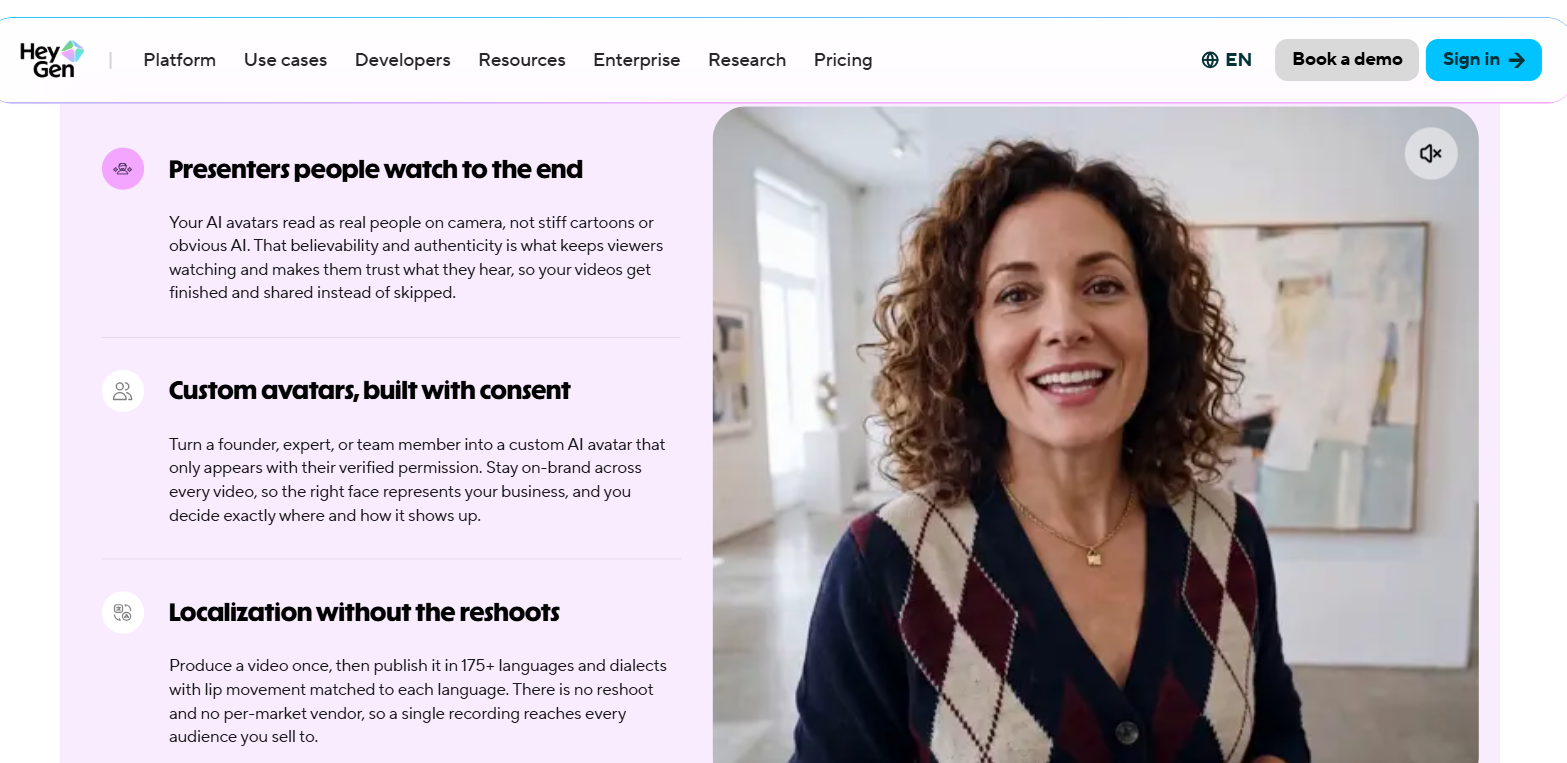
HeyGen's own description of what a single recording produces, on its AI Avatar Generator page. Captured 7 September 2026.
A product change becomes a text edit. This is the part that matters most and the part HeyGen states outright. You deliver a long session with your avatar and then update any part of it later by editing the script instead of starting over. A renamed feature stops being a production job.
The same face everywhere, without booking anybody. Once the avatar exists, the person who sat for it does not need to be free. That removes the scheduling problem that quietly kills most internal video, which is that the one person who presents well is also the busiest person in the building.
What I found using HeyGen
Your first recording will probably fail, and it will be your fault. Mine did. I looked away from the lens, turned my head and shifted my body while I was talking, and the clone would not build. Sit still, keep your eyes on the lens and keep your hands low. It feels unnatural and it is the whole job.
Hyphenate anything the voice gets wrong. When a word came out mangled I broke it into syllables in the script, so dig-i-tal rather than digital, and it enunciated properly. For software this matters more than it sounds, because product names and acronyms are exactly the words a general voice model has never seen.
Upload through a Drive link if the file is large. Uploading in the browser hits a cap. Putting the recording in Google Drive and pasting a shareable link into HeyGen's upload prompt goes straight past it.
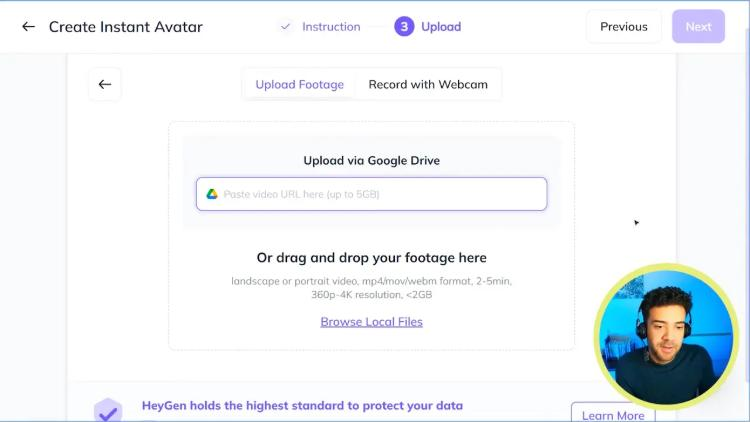
The upload step inside HeyGen. The Google Drive field takes a link up to 5GB, where dragging the file in stops at 2GB.
I wrote all of this up when I cloned myself, in HeyGen — how to clone yourself with an Instant Avatar.
Where HeyGen falls short
Consent is a step, not a checkbox. A custom avatar only works with the verified permission of the person being recreated. That is the right way round and it is also a real piece of admin. Somebody has to agree, on record, before anything renders.
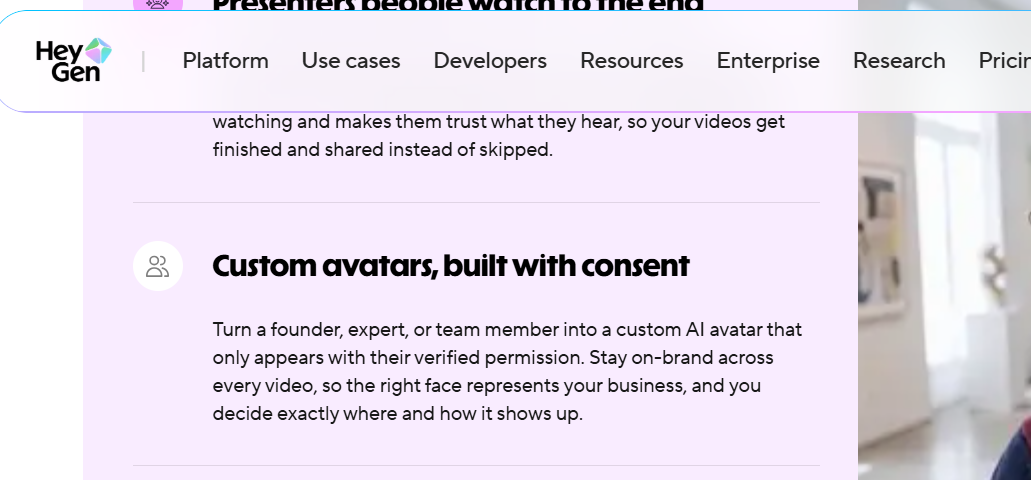
HeyGen requires verified permission from the person being recreated. Captured 7 September 2026 from its avatars page.
The avatar belongs to a person, and people leave. This is the one that should stop you, and it is specific to using a real employee rather than a stock presenter. Build 40 videos around your VP of Product and you have tied 40 assets to somebody who might hand in their notice. Nothing breaks technically. It just becomes strange, and re-recording means redoing the lot. If the person you have in mind is not likely to still be there in 2 years, use a stock presenter or look elsewhere.
Recording quality decides everything downstream. The failure I had was not subtle, and it was invisible until the build failed. Budget for doing the recording twice.
I have no complaint pattern to show, which is not evidence. No repeated complaint about HeyGen clears the bar I set for reporting one. The replies I read sit under HeyGen's own announcement posts, which is not where unhappy customers tend to go. People may be pleased, or the unhappy ones may be somewhere I did not look.
What else I considered
Synthesia is the better pick if nobody will go on camera at all. It builds the lesson from a script using a presenter, so you never record anybody, and that is the right trade when consent is the blocker rather than time. I have covered Synthesia 3 update keynote breakdown separately.
Captions and its Mirage model is worth a look for short social cuts rather than long product video, and it prices differently enough that it is a separate decision. Where I have compared these on cost it is on AI avatar video cost per minute.
Plenty of other tools do this job and are not covered here. This is the one I would pick for this particular team, not a survey of the market.
What HeyGen costs
HeyGen sells plans that mix a credit balance with a limit on how much finished video you can make, so the number to look at is minutes of output rather than the headline figure. Current figures are on HeyGen.
One thing to know before you commit. Building the avatar and translating videos both spend from the same allowance as everything else, so a heavy month of one is a month you are not doing the other.
Getting started
- Pick the person before you pick the plan. Everything else depends on them agreeing, and on them still being around in a year.
- Record the sample in one sitting, sitting still, eyes on the lens. Expect to do it twice.
- Build one release-notes video for a change you have already shipped, so you can judge it against something you know.
- Rewrite that script for the next release and rebuild. That second pass is the thing you are actually buying, and it is the only way to see whether it is worth it.
The free tier is enough to get through steps 2 and 3 on one video, which is all you need to decide. You can start at Try HeyGen →.
Method and freshness
The first-hand parts of this page come from building my own avatar, linked above. HeyGen's own avatars page was read on 27 August 2026 to confirm the single-recording claim, the shot range, the script-editing update and the consent requirement, and the screenshots above are from that reading. I have not tested Synthesia, Descript or Captions against HeyGen directly, and nothing above should be read as though I had.