The Best AI Clipping Tool for Unmonetized YouTube Channels

Last updated: 29 September 2026
Author: Greg Preece — I cover AI video tools and practical creator workflows.
I ran one podcast episode through OpusClip and vidIQ at the same time and compared what each gave me back. I have been making video for 10 years and my channel is past 130,000 subscribers. This page is for people who are still short of the monetisation bar.
If your channel is not in the YouTube Partner Program yet and you have years of long videos sitting there, OpusClip is the right choice, mainly because it pulls clips out of any kind of video rather than only out of interviews.
YouTube is raising the entry bar on 1 February 2027 and the change only applies to people who have not got in by then. Turning an old archive into short video is the fastest way to put volume on a channel before that date. OpusClip does that in minutes a video, and it does not need your old footage to be a tidy two-person conversation.
OpusClip in short
OpusClip takes a long video and gives you back short vertical clips, and it will post them for you. For a channel chasing the Partner Program that matters, because the entry bar goes up on 1 February 2027 and clips are the quickest way to build volume from footage you already own. The catch is that Shorts views build one route into the programme and not the other, so work out which route you are on before you start.
What is on this page
- Who OpusClip is for
- The problem an unmonetised channel has right now
- Why OpusClip solves it
- What I found using OpusClip
- Where OpusClip falls short
- What else I considered
- What OpusClip costs
- Getting started with OpusClip
- How I put this together
Who OpusClip is for
Use OpusClip if you recognise yourself in this list.
- You have a stack of long videos already published and almost nothing in short form.
- You are still short of the Partner Program numbers and you want in before 1 February 2027.
- You publish in English, German, Spanish, French, Portuguese or one of the other languages OpusClip handles.
- You are the only person doing this and you do not have whole days to spend slicing footage.
Look elsewhere if any of these is true.
- You are already in the Partner Program. YouTube says the new numbers will not touch you, so the deadline is not yours.
- Your archive is in a language OpusClip does not support.
- You are counting on short video to build watch hours. It does not, and I explain that further down.
- You want every clip individually art directed. This is a volume tool and it hands you a lot of clips at once.
The problem an unmonetised channel has right now
Today a new channel gets in with 1,000 subscribers and 4,000 qualified watch hours in 12 months, or 1,000 subscribers and 10 million qualified Shorts views in 90 days. On 1 February 2027 both of those numbers go up. New applicants will need 8,000 qualified watch hours in the last 365 days, or 20 million qualified Shorts views in the last 90 days. YouTube announced that on 10 August 2026 and said it will not affect anyone already in the programme.
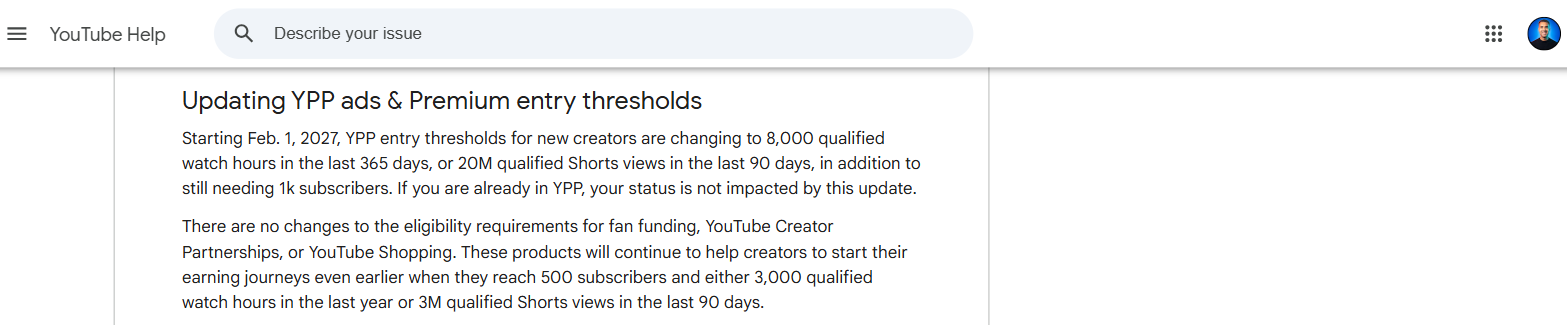
YouTube's own help page setting out the new Partner Program entry numbers and the date they start. From the Changes to the YouTube Partner Program page on support.google.com, checked 7 September 2026.
So there is a date on this. Qualify before 1 February 2027 and you get in at the old numbers. Miss it and you are chasing double.
The work is real work and it has a market price. A business posted a job on Upwork on 19 August 2026 offering $1,000 to rebuild a strong podcast for YouTube, because the format had never been made to fit the platform. That is one show being adapted for one place. You are doing the same job to your whole back catalogue, on your own, in the evenings.
Why OpusClip solves it
The job is volume. You need a lot of short vertical video on the channel, and you need it out of footage you already own.
OpusClip takes a long video and returns short clips with captions on them, reframed to vertical, and it will publish them to the accounts you connect. Its own home page puts it as 1 long video into 10 clips.
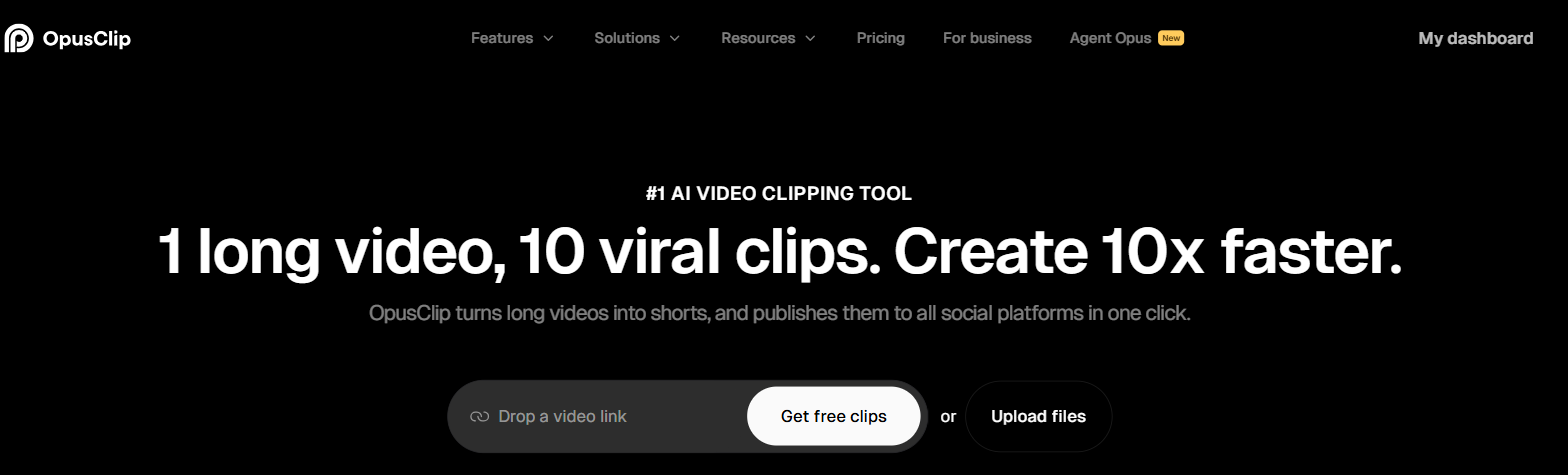
OpusClip's home page stating what the tool does and how you give it a video. From opus.pro, captured 7 September 2026.
The part that matters for an old archive is ClipAnything. OpusClip says every other clipping tool only works on video podcasts. It says ClipAnything handles vlogs, gaming, sports, interviews and explainer videos too. Most back catalogues are not tidy two-person interviews. If your first 100 videos are a mix of tutorials, reviews, rants and one holiday, a podcast-shaped tool will find almost nothing in them.
Reframing is the second thing. OpusClip's ReframeAnything follows a moving subject and keeps it in frame when the shot goes vertical, and you can tell it what to track. That is the step people give up on when they try this by hand, because it comes round again on every single clip and it is dull.
It will also publish for you. Connect your TikTok, YouTube, Instagram or Facebook pages and you can post or schedule clips straight out of OpusClip, so finished clips do not have to come back to your desktop at all.
And the captions are editable before you commit. Hovering over a word shows which words will be highlighted, and you can change the words and the colours there.
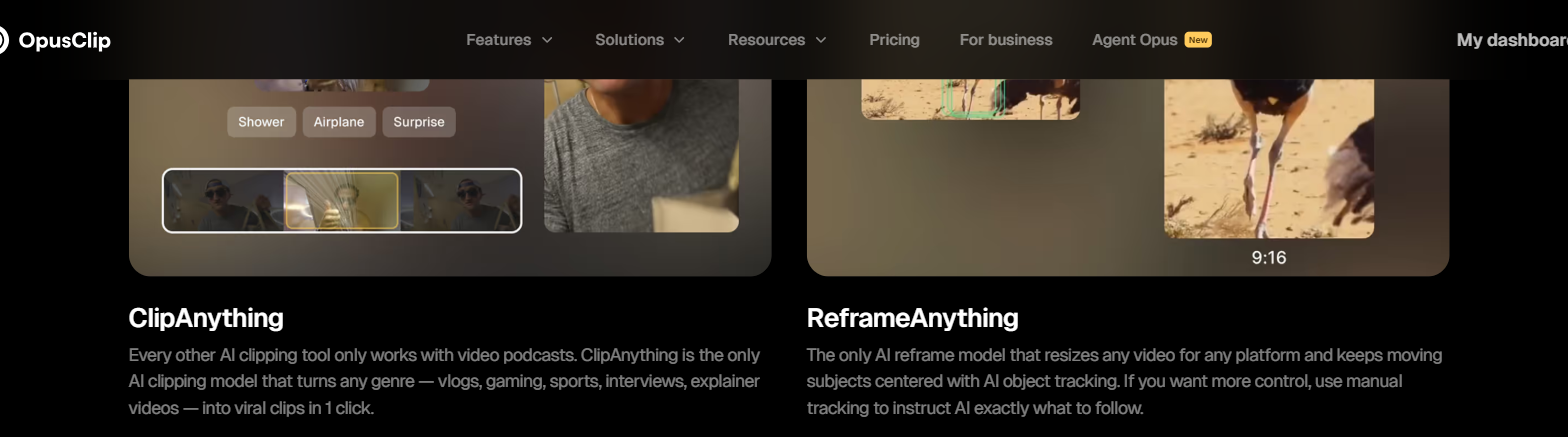
OpusClip describing its two editing models and what each one is for. From opus.pro, captured 7 September 2026.
What I found using OpusClip
I put one long podcast episode through OpusClip and vidIQ at the same time. OpusClip gave me 35 clips and took 10 to 15 minutes. vidIQ gave me 16 and took 50 to 55.
The speed is what changes the size of job you can take on. At 10 to 15 minutes a video you can push a year of uploads through in an afternoon. At 50 to 55 you will do four and give up.
That is the whole argument for using it on an archive rather than doing this by hand. OpusClip - vidIQ side by side on one podcast episode
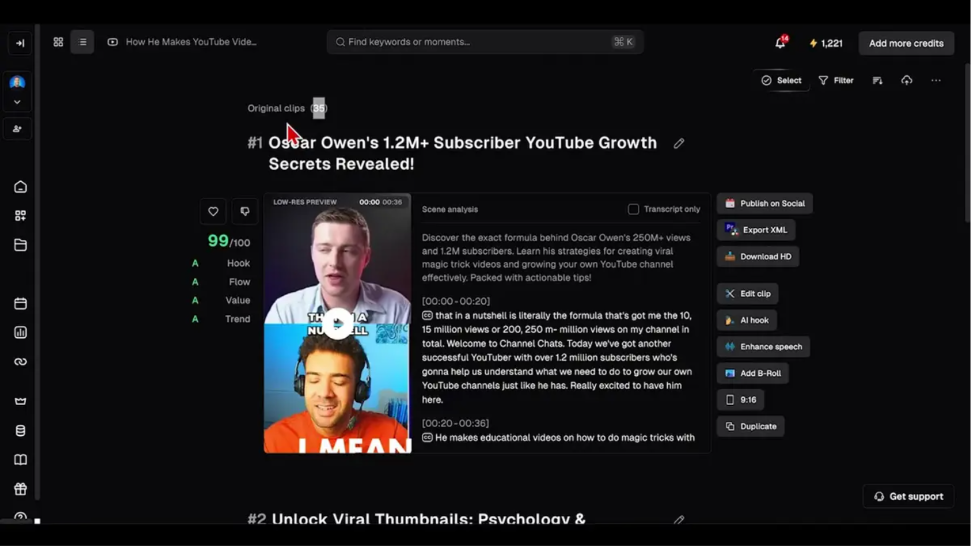
The clip count at the top of the results list after one podcast episode went through.
Where OpusClip falls short
The biggest problem here is not OpusClip's doing, and it will still cost you if you get it wrong. Watch hours from Shorts views in the Shorts feed do not count towards the watch hours route into the Partner Program. YouTube says so on its own help pages. So if your plan is to reach the watch hours number, clipping does not move it. Clips build the Shorts route and they send people to your long videos. They do not add hours.
That means you have to choose a route before you start. If you are close on watch hours, keep making long videos and treat clips as the thing that finds you viewers. If you are nowhere near, the Shorts route is the honest one and volume is exactly what you need.
Language is a hard stop. OpusClip lists English, German, Spanish, French and Portuguese and says it covers more than 20 other languages. If your archive is not in one of them, none of this applies to you.
And OpusClip gives you quantity rather than judgement. 35 clips out of one episode is 35 things you still have to watch, title and schedule. It has decided what is clippable. It has not decided what is worth putting on your channel.
What else I considered
vidIQ. This is the one comparison I can actually speak to, because I ran both on the same episode. It was slower and it returned fewer clips, and its split layout put both speakers on screen twice instead of side by side. It does far more than clipping though, so if you already pay for it to research titles and topics, the clipping is sitting there. OpusClip - vidIQ side by side on one podcast episode
Klap. Klap says its algorithm leans heavily on speech detection and that it does its best work on podcasts, interviews, educational video and product reviews. That describes a lot of channels and it rules out the rest. I have not run Klap myself and I am not going to tell you how it compares.
CapCut. A full editor rather than a clipping engine, so the work of finding the good moments stays with you. That is the opposite of what you want when the input is 100 old videos. I have not tested CapCut on this job and I am not claiming otherwise.
What OpusClip costs
OpusClip has a free plan that refreshes every month, a trial of the paid plan when you open a new account, and paid plans billed monthly, with yearly billing from Pro upwards. You are metered on how much video you upload rather than on how many clips come back. Current figures are on Try OpusClip →.
Getting started with OpusClip
- Work out which route you are on. Look at your qualified watch hours for the last 12 months. If the number is within reach, clips are a traffic tool for you. If it is nowhere near, the Shorts route is your route and volume is the plan.
- Pick your 10 best performing long videos rather than your 10 newest. The moments that already worked once are the ones most likely to work again.
- Run one of them through the free plan before you pay for anything. You will know inside 15 minutes whether what it finds in your kind of footage is any good.
- Post to the channel you want monetised. The subscribers and the Shorts views both have to land on the same channel, so a separate clips channel splits the thing you are trying to grow.
You can start on the free plan at Try OpusClip →.
How I put this together
I read YouTube's own announcement of 10 August 2026 and its help pages for the entry numbers and the dates, and I checked both again on 27 August 2026. I checked what OpusClip does against OpusClip's own pages the same day. The hands-on parts come from running one podcast episode through OpusClip and vidIQ side by side. I have not tested Klap or CapCut on this job.