What Is ElevenLabs? How I Use the AI Voice Generator (Tested)
Last updated: July 2026
Author: Greg Preece — I test AI video and voice tools hands-on, showing creators and businesses how to generate highly realistic, natural-sounding audio at scale.
ElevenLabs has quickly become one of the most talked-about names in AI. It has a valuation of over $3 billion and is trusted by millions of creators. However, if you read the confusing jargon on their homepage, it's hard to figure out what the platform actually does.
In this guide, I'll explain exactly what ElevenLabs is, how it works, and walk you through step-by-step how I use its three core features—Text to Speech, Voice Changer, and Dubbing—to create high-quality audio in minutes.
TL;DR / Summary Box
- What It Is: ElevenLabs is a generative voice AI platform that creates ultra-realistic human voices from text, clones existing voices, or translates audio into multiple languages.
- Top Use Cases: Creating voiceovers for YouTube, generating audiobooks, voice acting, producing podcasts, and translating video content.
- Cost: Free to start, with paid plans starting at $6/month, or $5/month billed annually, for expanded character limits.
- My Verdict: It's the most realistic AI voice generator on the market, saving creators thousands on voice actors and hours of recording time.
Prefer to watch? Here's the video. Prefer to skim? The full breakdown is below.
Try ElevenLabs for free: Try ElevenLabs →
Table of Contents
- What Is ElevenLabs?
- How Does ElevenLabs Work?
- How to Use ElevenLabs: The 3 Core Workflows
- Is ElevenLabs Free?
- Who Is ElevenLabs For?
- Conclusion
What Is ElevenLabs?
At its core, ElevenLabs is an AI tool that creates synthetic voices that sound like real people. Whether you need a voice to read out text, change how your own voice sounds, or translate your speech into a language you don't even speak, ElevenLabs handles it with unmatched realism.
Caption: The ElevenLabs main editor interface where you can access Text to Speech, Voice Changer, and Dubbing tools.
The technology has exploded in popularity because it solves a massive friction point for content creators, game developers, and businesses: the cost and time of recording high-quality audio. For example, the game Fortnite has used ElevenLabs to bring character voices like Darth Vader to life. Meanwhile, "faceless" YouTube channels are gaining hundreds of thousands of subscribers and pulling in massive views using completely synthetic voiceovers.
By utilizing ElevenLabs, creators are generating podcasts from scratch and recording professional audiobooks without needing to hire expensive voice actors or rent professional studio space.
How Does ElevenLabs Work?
ElevenLabs uses advanced deep learning algorithms trained on massive audio datasets to understand the nuances of human speech. Unlike traditional text-to-speech tools that sound robotic, flat, or disconnected, ElevenLabs captures emotional tone, pacing, hesitation, and natural intonation.
The platform reads punctuation and context to determine where a speaker should naturally pause, breathe, or emphasize a word. This makes the generated speech almost impossible to distinguish from a real voice actor.
How to Use ElevenLabs: The 3 Core Workflows
I have been using ElevenLabs hands-on for a few years now. Let's break down step-by-step how to use the three primary tools inside the platform.
1. Text to Speech (and Voice Cloning)
This is the most common feature on the platform. It allows you to turn written scripts into fully voiced audio tracks. Here is how I set this up and generate voiceovers:
How to Generate Audio from Text
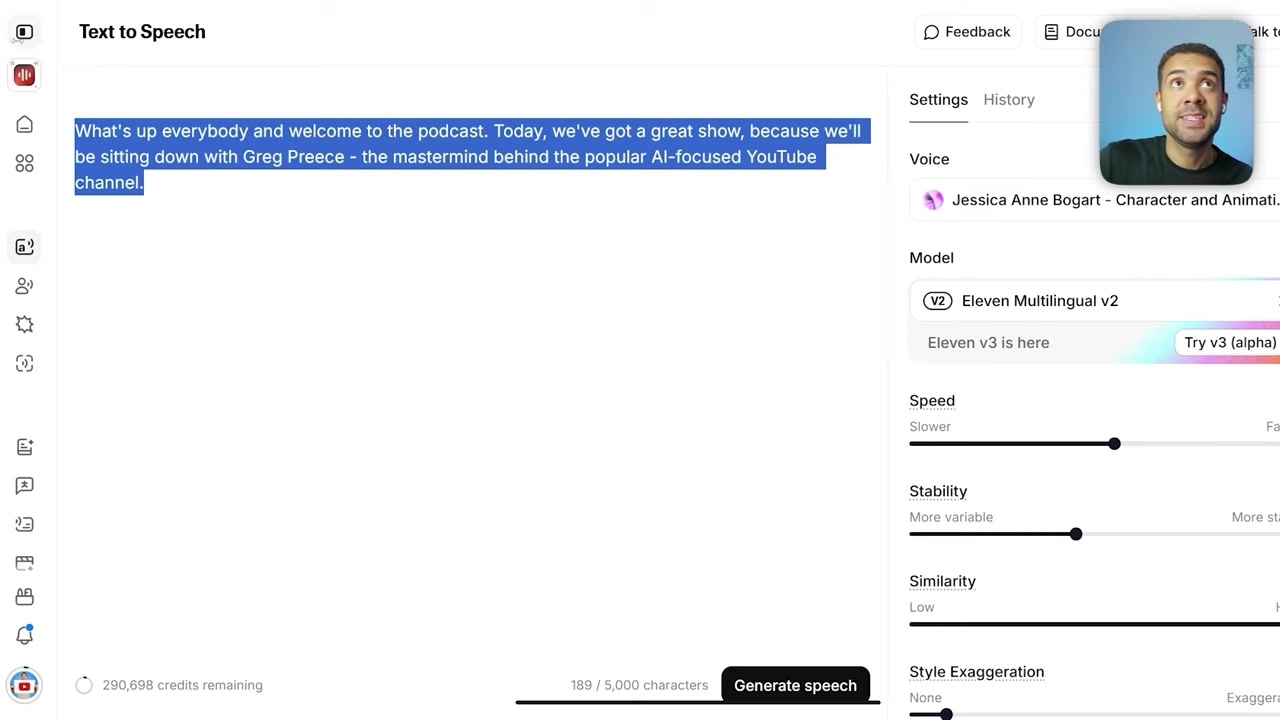
- Navigate to the Editor: Head to the Text to Speech section in your ElevenLabs dashboard.
- Input Your Script: Type or paste exactly what you want the voice to say into the main text box.
- Select Your Voice: Click the voice dropdown to choose from a massive library of preset voices (such as "Burt Reynolds").
- Generate Speech: Press the Generate button at the bottom of the screen. Within seconds, your audio file is ready to preview and download.
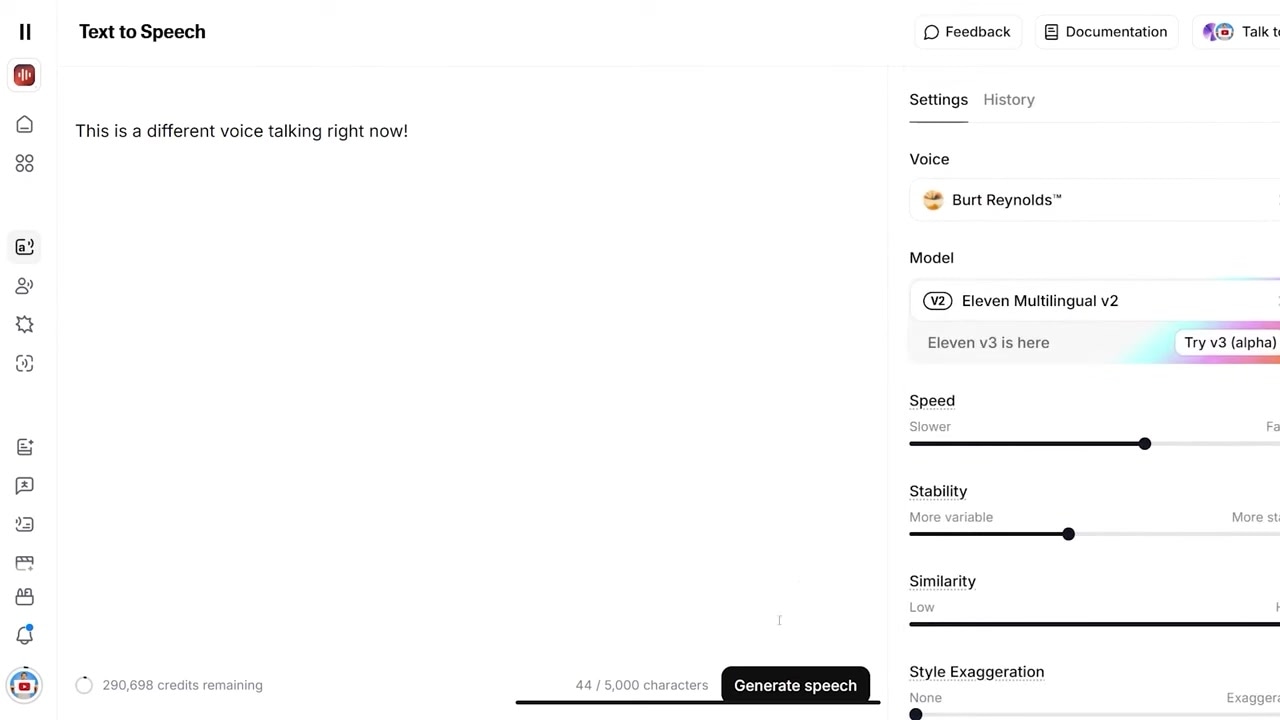
Caption: Selecting a voice preset like Burt Reynolds in the Text to Speech generation panel.
Designing Custom and Cloned Voices
If you don't want to use preset voices, ElevenLabs gives you two powerful alternatives:
- Voice Design: Design an entirely new voice from scratch by setting parameters like age, gender, and accent.
- Voice Cloning: Make a perfect clone of your own voice. I set this up and generated a clone that sounds exactly like me, allowing me to generate audio in my own voice just by typing out scripts.
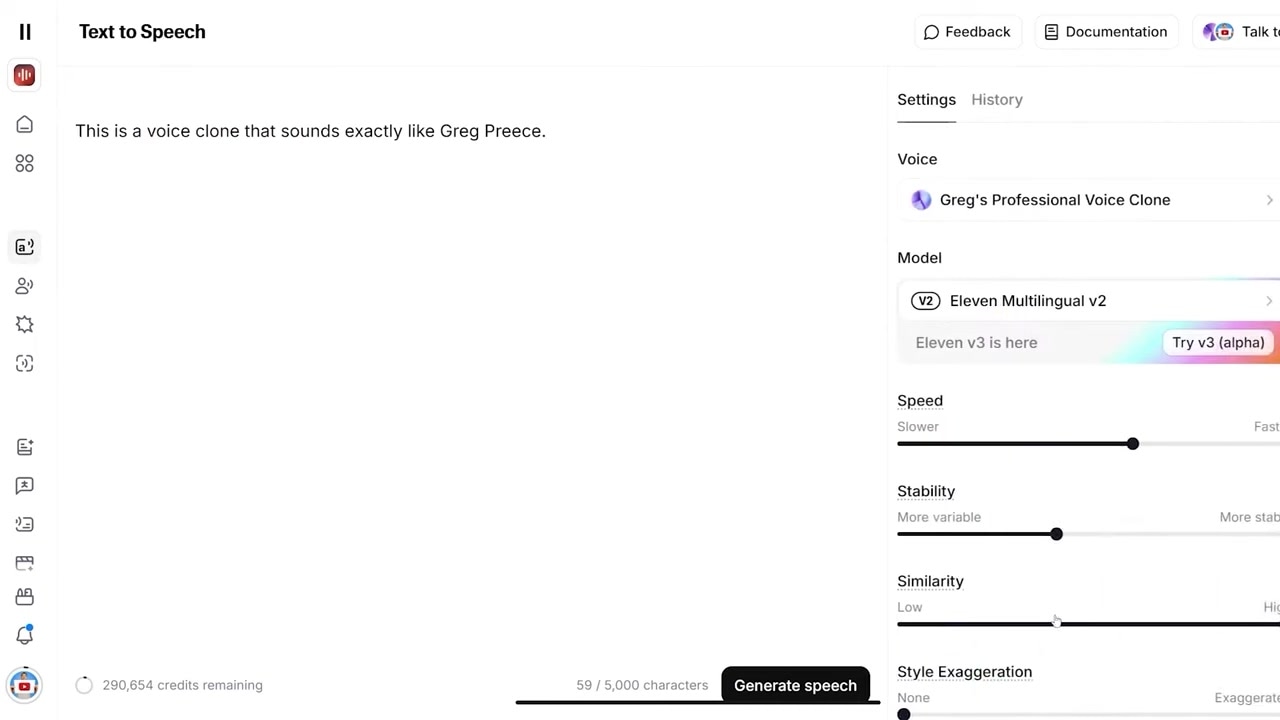
Caption: Choosing a custom cloned voice from the dropdown menu to generate speech in your own voice.
2. Speech to Speech (Voice Changer)
The Speech to Speech feature (often called the Voice Changer) lets you swap your own voice for any other voice inside ElevenLabs. It works like a vocal mask: the AI matches your exact pacing, emotion, and delivery, but applies a different voice model over the top. This is a game-changer for creators producing content with multiple characters who don't want to hire a team of voice actors.
How to Use the Voice Changer
- Upload Your Audio: Drag and drop your recorded audio file into the upload box inside the Speech to Speech area.
- Choose Your Target Voice: Select the voice you want to transform your recording into (for my test, I chose "Carter the Mountain King").
- Generate: Click Generate Speech at the bottom to convert your recording.
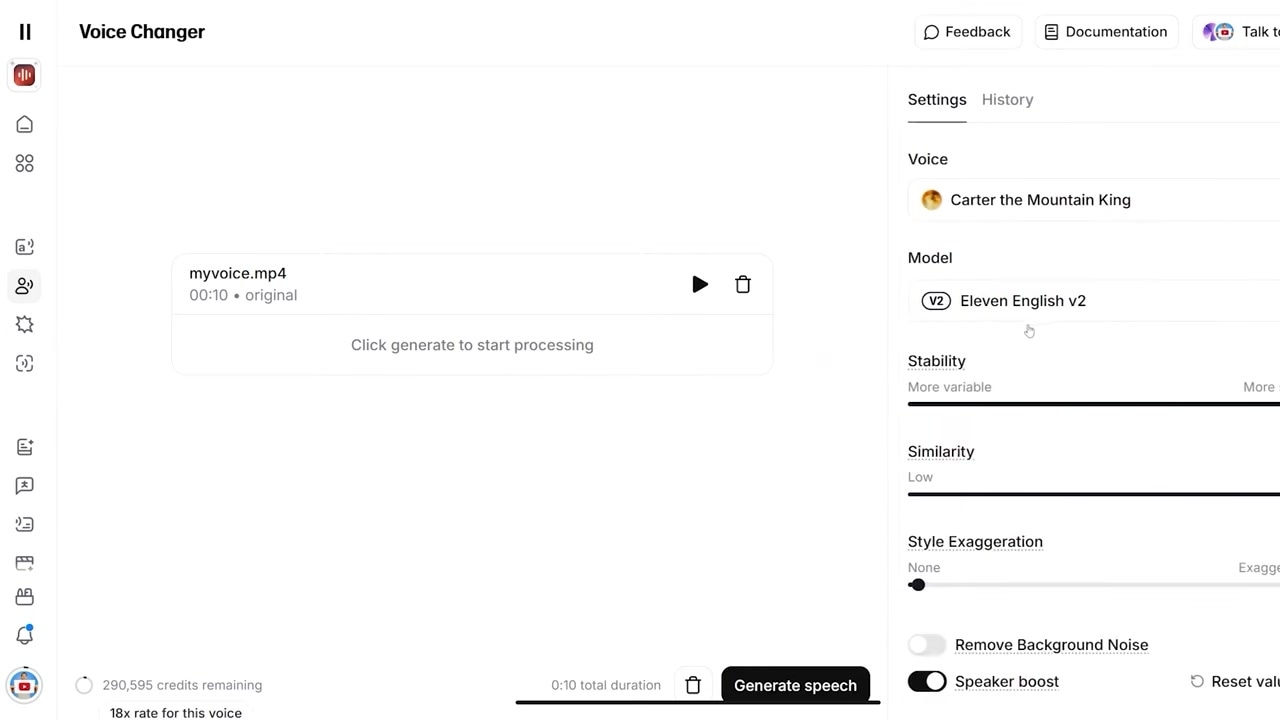
Caption: Uploading original audio and selecting a target voice profile like Carter the Mountain King in the Speech to Speech panel.
When I tested this feature, it was incredibly fast, though I noticed a tiny hiccup: the AI didn’t say the word "ElevenLabs" perfectly in the final output. However, that was simply because I didn't enunciate the word clearly in my original recording. The AI mimics your delivery precisely, so the cleaner your initial voice input, the better your final result will be.
3. Multilingual Dubbing (Translating Video)
If you create video content, the Dubbing tool is one of the most powerful features ElevenLabs offers. It translates video or audio files into foreign languages (like Spanish, Chinese, or German) while preserving your original voice's tone, pacing, and delivery.
By localizing your videos, you can immediately open your content up to a global audience, expanding your reach and dramatically increasing your earning potential without rerecording a single line.
How to Dub Your Videos
- Go to the Dubbing Section: Navigate from the Voice Changer to the Dubbing tab.
- Upload Your Media: Upload your video file or paste a link to an external video (such as a YouTube link).
- Select Languages: Set your original source language and select the target language you want to translate it into.
- Create the Dub: Click Create to let the AI process the translation and generate a fully localized, natural-sounding audio track that syncs perfectly with your video.
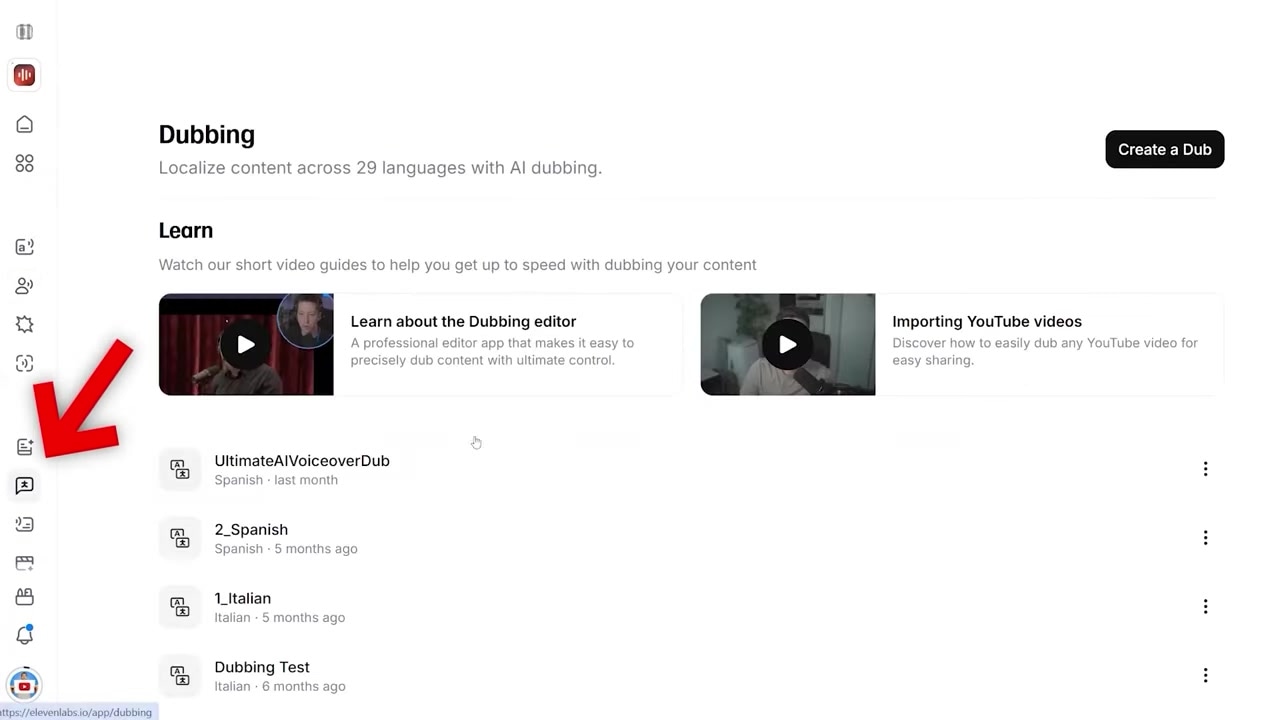
Caption: The ElevenLabs Dubbing interface where you upload video or audio to translate it into other languages while preserving original vocal characteristics.
Is ElevenLabs Free?
Yes, ElevenLabs is completely free to start playing with. You can sign up, access the basic Text to Speech editor, and test out pre-made voices without paying anything.
If you want to use advanced features like high-fidelity voice cloning or generate content beyond the free tier's character limits, paid tiers start at an affordable $6/month, or $5/month billed annually. This makes it an incredibly high-value tool for creators looking to scale up their production workflows.
Try ElevenLabs for free: Try ElevenLabs →
Who Is ElevenLabs For?
ElevenLabs is an excellent fit for several types of creators and professionals:
- YouTubers & Content Creators: Run highly engaging faceless channels or generate clean voiceovers for your video projects.
- Podcasters & Authors: Turn written blog posts into podcasts or record full-length audiobooks without expensive recording studio gear.
- Game Developers: Build custom voices for different NPCs and characters directly from your computer.
- Global Brands: Instantly translate marketing assets and tutorials into dozens of different languages while maintaining consistent brand voices.
Conclusion
ElevenLabs is much more than a standard text-to-speech tool—it’s a comprehensive creative platform for synthetic audio. It saves you the massive expense of hiring professional voice editors and actors, saves you hours of manual recording time, and gives you the tools to distribute your content globally.
If you want to take your voice generation to the next level, I highly recommend checking out my dedicated guide on how to clone your voice inside ElevenLabs, where I walk through different levels of cloning accuracy step-by-step.