AI Avatars, Dubbing & Video Translation: The Complete Guide

July 18, 2026
21 min read
AI Avatars, Dubbing & Video Translation: The Complete Guide

If you have spent any time on YouTube, TikTok, or corporate training platforms recently, you’ve likely noticed a massive shift. Video is no longer restricted by physical location, production crew size, or even the language you speak. Over on my YouTube channel, where I share hands-on testing with over 134,000 of you, I make it my personal mission to dissect these tools without the marketing fluff. AI video translation, voice cloning, and digital avatars have evolved from laughable gimmicks into genuine production-ready assets—but only if you know exactly how to handle them.

The promise of taking a single English video and instantly translating it into Spanish, Portuguese, or Japanese with your own cloned voice and flawless lip movements is no longer a futuristic pipe dream. But as someone who has spent hundreds of hours rendering test footage, hitting credit walls, and trying to fix weirdly warped mouths, I am here to tell you that there is a vast gap between promotional keynotes and everyday reality. If you use these tools incorrectly, you will end up with video content that screams "cheap AI bot" and alienates the very audience you are trying to reach.

This guide is designed to be the ultimate, hype-free blueprint for creators, marketers, and brands looking to scale their video presence. We are going to unpack the current landscape of AI video translation and talking avatars, look at the exact tools I use in my studio, and walk through step-by-step workflows to ensure your results look incredibly natural and retain their human emotion.

The Evolution of AI Video Translation

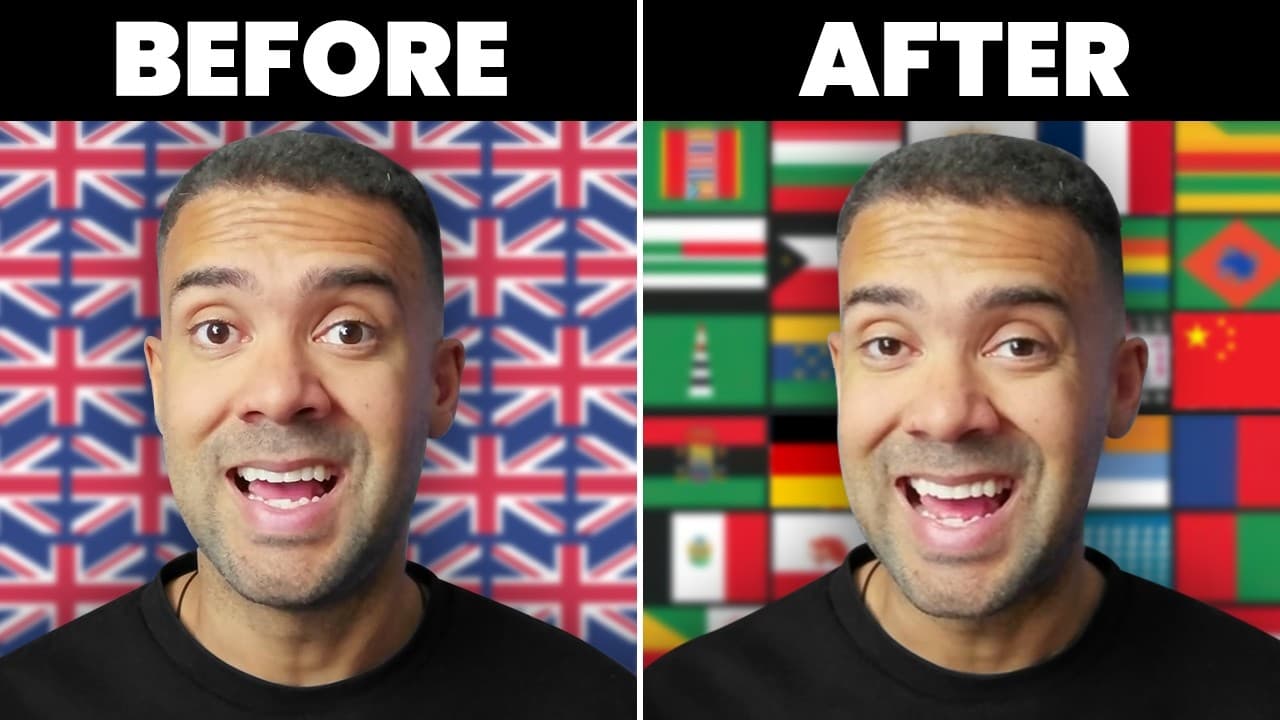
When I first started testing these platforms, the audio and video elements of translation were completely disconnected. You would get a decent translated voiceover, but the on-screen speaker's lips were still moving to the original English syllables—an absolute viewer retention killer. In my own tests with ElevenLabs, for example, I translated my English footage into Italian and Spanish, but my lips were still visibly moving to the original English words. It completely ruined the experience for native viewers. Today, the technology behaves entirely differently. If you want to dive straight into a setup that perfectly matches visual movement with audio timing, you can check out my guide on using an AI video translator with lip sync to see how to bypass the awkward visual mismatch.

The core of modern "ai video translation" relies on a multi-layered pipeline:

  1. Transcription: Extracting the spoken word with near-perfect punctuation.
  2. Contextual Translation: Going beyond literal translation to preserve colloquialisms and idioms.
  3. Voice Synthesis (Cloning): Mapping the unique timbre, pitch, and emotional cadence of your voice onto the target language.
  4. Visual Re-mapping (Lip Sync): Using generative AI to physically morph the speaker's mouth to match the new language’s phonemes.

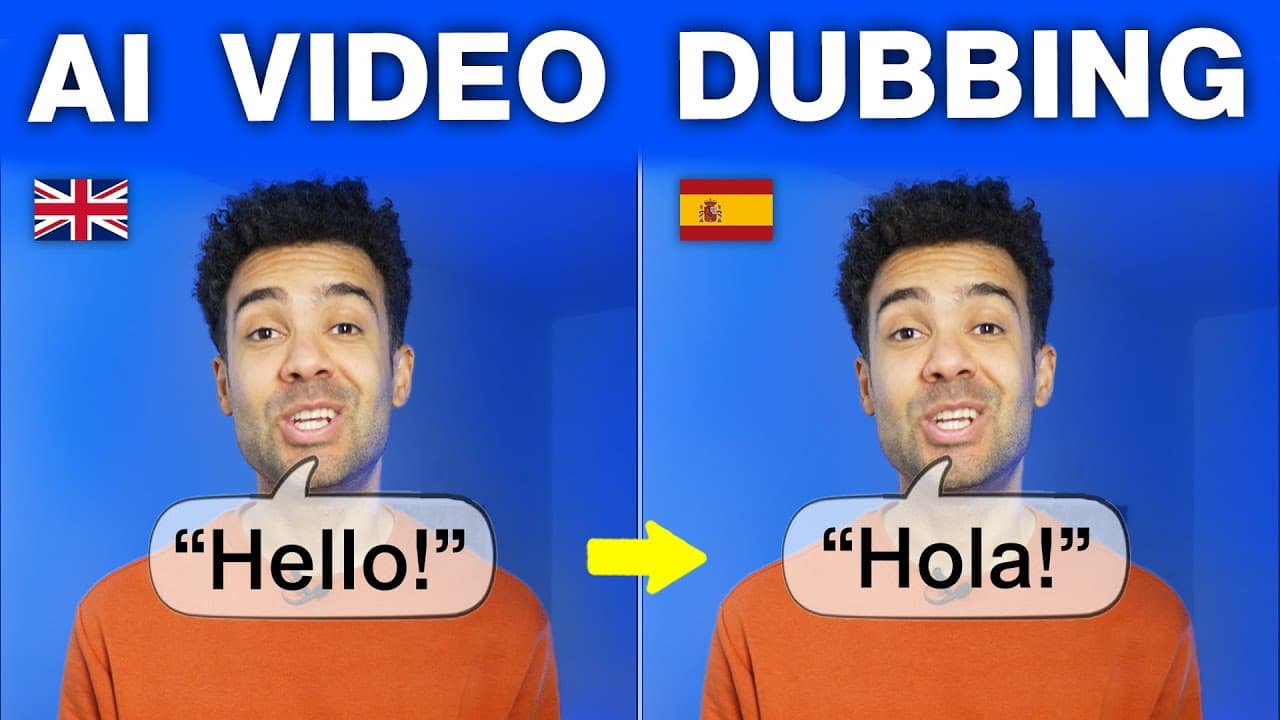
The scale of this shift is massive. By localising your content, you are suddenly opening up your work to a massive global audience that was previously locked out. When I tested these workflows for my channel, I realised that a creator could realistically expand their footprint overnight. I documented the exact speed and cost efficiencies of this process in my walkthrough showing how this AI does automated dubbing on videos fast. In my run with Translate.Video, which I found on AppSumo during a 90% off lifetime deal promotion, I uploaded a 1-minute MrBeast clip (around 33 megabytes) and translated it into Mandarin Chinese. What blew me away was that the original video had an alarm going off in the background, and the AI kept that background alarm perfectly intact whilst cleanly replacing the English speech with Chinese.

With the rise of advanced localized dubbing, you no longer have to build entirely separate foreign-language channels from scratch with different actors. You can run a single global brand and let AI handle the heavy lifting of multi-lingual delivery.

Deciding on Your Workflow and Tooling Needs

Before you spend a single penny on subscriptions, you need to identify exactly what problem you are trying to solve. In my testing, I’ve found that video creators generally fall into one of three camps:

  • The Translator: You have existing, high-quality videos of yourself or an actor speaking, and you want to convert that footage into multiple languages whilst keeping your voice and face perfectly matched.
  • The Avatar Creator: You do not want to go on camera at all. You want to feed a script to a digital clone (either of yourself or a stock actor) and have it generate a talking-head video from scratch.
  • The Creative Animator: You want to make static assets, memes, or historical photos talk, sing, or perform highly stylized, expressive motions.

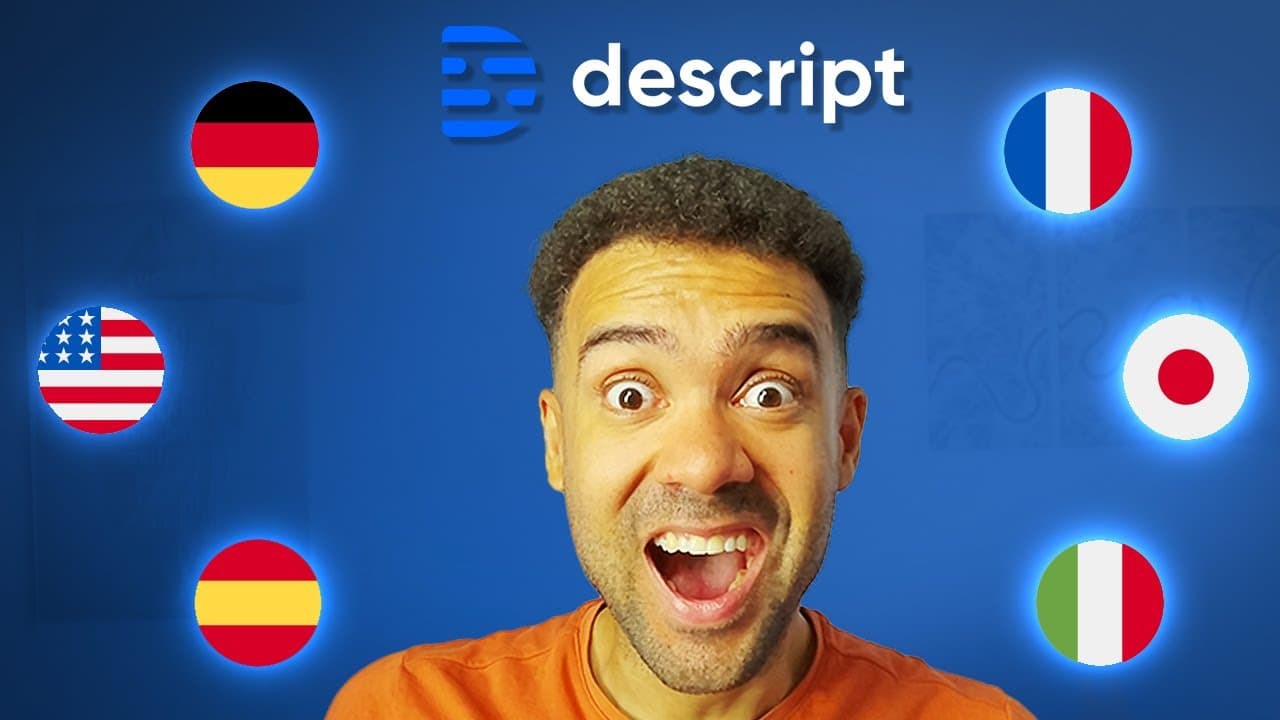
For creators who already have a massive library of talking-head videos, translation is the most cost-effective path to growth. It allows you to preserve your original visual delivery while swapping the language track. If you're looking for a simple, transcription-centric workflow that manages text and voice inside one editor, I highly recommend looking at how to translate videos and captions automatically using Descript AI. When I tested Descript, the speech-to-text conversion was incredibly fast. I just clicked "Captions" in the sidebar, chose a style, and they synced instantly. To translate, I opened the "Underlord" panel, chose German, and in literally three seconds, my entire transcript was translated. Exporting the video with German subtitles took only about 60 seconds.

However, if your primary goal is high-fidelity voice cloning combined with near-perfect visual matching, there is a clear frontrunner. My extensive testing has consistently pointed to one platform as the gold standard for this specific use case. You can read all about my tests and settings in my guide to the best AI dubbing tool to convert English videos to any language with HeyGen. In my runs with HeyGen, I only needed a 30-second video of myself talking to translate my voice into Italian, Hindi, Mandarin, Japanese, Spanish, and German—and the AI physically moved my mouth to make it look like I was actually speaking those languages.

Deep-Dive: The Core AI Video and Translation Tools Tested Hands-on

Let’s go through the major players in this space. I have paid for and tested every single one of these platforms in my studio to find their breaking points.

HeyGen: The King of Lip-Sync and Avatars

HeyGen remains the undisputed heavyweight champ of the AI avatar and translation space. Their model updates have continuously set the benchmark for realism. The platform relies on a credit-based subscription model where you pay for what you render. In my tests, their "Avatar IV" engine delivers astonishingly crisp 1080p and 4K outputs, natural blinking patterns, and subtle shoulder movements that used to be a dead giveaway of AI generation.

If you want to skip hiring actors entirely and build a digital twin to scale your content, you can easily do so. I’ve refined the exact steps to help you build an accurate clone without falling into the classic setup traps. I suggest checking out my step-by-step tutorial on how to clone yourself into an AI influencer with HeyGen in under 5 minutes. When I set up my first Instant Avatar, I actually messed up the cloning process because I was looking away from the camera and moving my head too much. I learned the hard way that you must upload at least 2 minutes of footage, look directly at the camera, keep your head as still as possible, and keep your hands below your chest. If you move your hands up high or in front of your face, the clone will fail. Also, because my high-quality camera footage exceeded HeyGen's 2 gigabyte computer upload limit, I had to upload it to Google Drive and paste the link directly, which connected instantaneously.

For creators who don't want to record extensive video of themselves to create a clone, HeyGen also offers impressive image-to-video capabilities. You can feed the AI a static headshot and a script, and it will animate the mouth realistically. To do this without getting those weird, distorted mouth movements that ruin the illusion, refer to my guide on achieving a realistic AI avatar lip sync from a single photo.

If you want to dig deeper into the actual rendering workflow of their newest engine, I have put together a dedicated article on how to create a realistic lip sync video from just a photo using HeyGen Avatar IV. I spent two weeks testing Avatar IV, and some of the results blew my mind. I uploaded a photo shot at an extreme side angle where you could barely see the mouth, and it still created a perfect lip sync. Even crazier, I tested an image where the mouth and face were partially covered by a gun and hands, and Avatar IV successfully mapped the lip sync right around the obstruction! I also brought a 1930s historical photo to life in crisp 1080p HD.

For gesture control, you can let the automatic mode assign movements, or use manual mode. I found that typing the word "expressively" (e.g., "the man nods his head expressively when he talks") gives the best results. Also, there's an "Avatar IV Turbo" option that generates videos three times faster, but the catch is that the avatars have far less movement and expression when it's turned on. If you want a natural, expressive look, keep Turbo turned off.

Alternatively, if your priority is speed and getting a static asset animated in under two minutes, take a look at my quick-start guide on using image to lip sync AI to make any photo talk fast.

On the translation front, HeyGen handles multi-lingual dubbing directly in their dashboard. The system auto-detects speakers, translates the text, clones the voice, and remaps the mouth movements. If you want to see how to execute this rapidly across multiple locales, I have mapped out my process for dubbing lip sync AI to translate 10 languages in 5 minutes. And for those looking for the absolute simplest, most straightforward route, check out my one-click video translation tutorial using HeyGen.

Synthesia: Built for the Enterprise, But Perfect for Creators?

Whilst HeyGen targets creators and marketers heavily, Synthesia has historically aimed its product at enterprise training, corporate L&D, and internal communications. However, with their major platform updates, things are changing.

Synthesia introduced highly impressive Express-2 avatars, real-time Video Agents, and photo-to-avatar tools that bring their technology closer to the creator economy. I sat down and analysed their product updates in detail, presenting a balanced view of whether their features justify the premium cost for solo creators. You can read my full breakdown in Synthesia 3.0: Built for Fortune 500s... Perfect for YouTubers?.

I watched Synthesia's packed version 3.0 keynote, and whilst they partner with Nvidia and target Fortune 500 companies, there are massive features for creators. Their Express-2 models finally unlock hands and body control, meaning avatars aren't locked to the frame anymore. You can prompt them into any environment—like an office, beach, or construction site—and even prompt specific B-roll actions like walking, driving, or cooking. By the beginning of next year, they are launching single-image personal avatars. But the real game-changers are their Video Agents (which allow two-way, real-time conversations, like practicing sales or letting your audience talk to a digital clone of you) and interactive elements like quizzes, polls, and calendars. The secret weapon nobody is talking about is "Courses"—a feature that lets you build modular, interactive learning videos with branching and quizzes to sell premium AI courses directly to your audience.

Synthesia shines if you need structured, multi-slide video generation with built-in templates, media integrations, and team workspaces. However, if your main goal is translating organic, raw camera footage of a human being with emotional nuances, Synthesia’s editor can feel a bit too rigid and corporate compared to a dedicated translation workflow.

Higgsfield AI: The Creative & Music Video Playground

If you are looking for something completely different—moving away from corporate talking heads and sliding into high-energy, highly expressive creative video production—you need to look at Higgsfield AI.

Higgsfield is built as an AI video playground that gives you incredible control over camera movements, character consistency (via their "Cast" feature), and stylish animations. It's also one of the best platforms for experimenting with expressive performances. If you want to build a clone that doesn't just talk, but actually performs, I’ve laid out the entire creative pipeline in my guide on the Higgsfield AI music video workflow to clone yourself and make singing videos.

It is particularly useful for creators who want to step away from traditional presentation styles and venture into music videos, cinematic advertisements, or social media clips that require dynamic, stylized motion.

ElevenLabs: The Audio Powerhouse Stepping into Video

ElevenLabs remains the gold standard for pure voice generation and cloning. Their "Dubbing v2" engine is an absolute marvel. Unlike older engines that translate text literally, Dubbing v2 actually analyses the emotional tone, laughter, sighs, and whispers of the source audio and applies those same performance metrics to the translated output.

If you are translation-focused, ElevenLabs is incredibly cost-effective. The $22/month Creator plan provides 100,000 characters and unlocks Professional Voice Cloning (PVC), which provides a much more stable and realistic voice replica than the Instant Voice Cloning (IVC) found on cheaper plans. The only major catch with ElevenLabs is that whilst its audio dubbing is industry-leading, its native video lip-syncing capabilities are still catching up to HeyGen. As I showed in my side-by-side tests, ElevenLabs is brilliant at keeping the voice sounding exactly like you across languages (like translating my voice into Italian), but the visual mismatch is a massive issue because your lips still move to the original English words. That's why I often use ElevenLabs to generate the high-fidelity translated audio track, then import that track into HeyGen to handle the visual lip-syncing.

Descript: The Text-Based Editing King

Descript is a different beast entirely. It is not a generative avatar tool, but rather an all-in-one audio and video editor built around text transcription. You drop your footage in, and it transcribes it instantly. If you delete a word from the text transcript, it cuts that exact moment from the video timeline.

Descript’s translation feature is incredibly powerful for multi-lingual creators. When I tested Descript's translation features, I was amazed at how easily it handles speech-to-text. You just edit the text document, and it edits the video. For translation, you just use Underlord, choose your target language (like German or Italian), and it translates the text instantly. If you want to dub it, you can use a stock voice like Bernard, or record a quick training script to clone your own voice (which I did with my clone Gregory) to generate the speech in French or Italian. It’s an essential tool for podcasters and educators who want an easy, document-style interface to manage translation workflows without dealing with complex video timelines.


My Step-by-Step AI Dubbing and Translation Master Workflow

Over years of testing, I have developed a highly reliable workflow for translating videos with perfect lip-syncing and natural pacing. This is the exact process I use in my studio to ensure professional-grade results:

Step 1: Optimize Your Source Audio

AI models are force multipliers; they multiply the quality of whatever you feed them. If you feed a voice cloner tinny audio recorded in a room with lots of echo, the cloned AI voice will sound thin, echoing, and artificial.

  • Action: Record using a quality dynamic microphone (like a Shure SM7B or Rode PodMic) in a treated space. Keep the audio dry, with no background music, sound effects, or heavy compression applied yet.

Step 2: Clean the Transcript

Before translating, you must ensure the source text is completely accurate.

  • Action: Import your video into Descript. Use the filler-word removal tool to strip out "ums" and "ahs". Correct any misspelled words or brand names in the transcript to prevent the translation engine from outputting gibberish.

Step 3: Set Up Your Voice Clone

For the translation to sound authentic, you need a high-quality professional voice clone.

  • Action: In ElevenLabs (Creator tier or higher) or HeyGen (Creator plan), upload at least 5 to 10 minutes of clean, uninterrupted reading. When I set up my voice clone in Translate.Video or Descript, I had to record a short consent script first, followed by a sample reading script to let the AI study my voice. Do not upload audio with different microphones, background music, or varying energy levels. Keep your tone consistent.

Step 4: Run the Translation with Pacing Controls (Dynamic Duration)

One of the biggest mistakes in "ai video translation" is ignoring syllable length. English is a very compact language. Spanish, German, and French require up to 30% more syllables to say the exact same thing. If you translate without adjusting the video pacing, the AI voice will speed up unnaturally to fit the original video’s duration.

  • Action: When uploading your video to HeyGen or ElevenLabs for translation, always look for the Dynamic Duration or Pacing Lock settings. In my HeyGen tests, I always make sure "Enable dynamic duration" is ticked. This tells the AI to slightly extend the video timeline where needed to allow the translated language to be spoken at a natural human pace.

Step 5: Visual Lip-Sync Processing

Once the translated audio track is generated and aligned, run the visual processing.

  • Action: Generate the lip-sync overlay. If you used ElevenLabs for the audio, upload the newly dubbed audio track and the original video into HeyGen’s Lip-Sync tool to map the mouth movements. If you are using HeyGen's all-in-one translator, let the platform process both the audio and video together. Crucially, make sure the button that skips lip-syncing is unticked so the AI physically aligns your mouth movements to the new language.

Step 6: Post-Editing and Captioning

Once the translated video is rendered, bring it back into your editor for final touches.

  • Action: Re-introduce your background music and sound effects on a separate track (never translate audio with music pre-baked, or the AI will try to translate the music, creating horrible audio artefacts). Burn in stylish, localized subtitles to keep viewer engagement high.

The Four Critical Pitfalls That Uncanny-Valley Your Content

If you want your translated videos and avatars to look indistinguishable from real footage, you must avoid these four common pitfalls:

1. The Literal Translation Trap

Direct, word-for-word translation is the fastest way to sound robotic and unnatural. Different cultures use different idioms, sentence structures, and pacing. If you translate a colloquial English phrase literally into Mandarin or Spanish, it will make zero sense to native speakers.

  • How to avoid it: Use translation engines that feature contextual localization (like ElevenLabs Dubbing v2 or Descript’s advanced translation models). If possible, have a native speaker review the translated script before you hit "render."

2. High Room Reverberation

As mentioned in my workflow, room echo is the ultimate enemy of voice cloning. When the AI attempts to clone your voice from an echoey room, it treats the echo as a fundamental characteristic of your vocal chords. The resulting clone will sound distant, phase-cancelled, and incredibly artificial. When translating videos in HeyGen, I found the AI works best on videos with absolutely no background noise when there's just a single speaker talking.

  • How to avoid it: Treat your recording space with foam panels, blankets, or record inside a heavily carpeted room. Use a dynamic microphone placed close to your mouth.

3. Monotone Delivery

AI cannot generate emotion out of thin air. If your source recording is flat, monotone, and lacks energy, your cloned voice in Spanish, French, or Japanese will sound like a depressed robot.

  • How to avoid it: Deliver your original video with high energy, vocal range, and varied pitch. Smile while recording. The AI will capture those emotional inflections and carry them over into the translated language.

4. Poor Lighting in Avatar Setup

When creating a custom digital twin of yourself (cloning your avatar), bad lighting will ruin the final output. If you have harsh shadows on one side of your face, or a busy, moving background, the AI will struggle to cleanly isolate your body. This results in weird visual warping, blurry edges around your hair, and a distracting "halo" effect.

  • How to avoid it: When I recorded my training footage for HeyGen's Instant Avatar, my first run failed completely because I was looking away from the camera, moving my head, and changing positions. Keep your head as still as possible, look directly into the lens, and keep your hands below your chest. Record your avatar training video in 4K with flat, three-point lighting (soft lighting from the front and sides to eliminate shadows). Stand against a clean, solid, non-reflective background.

AI Video Translation & Avatar Tool Comparison (2026)

ToolKey StrengthStarting Price (2026)Best For
HeyGenBest-in-class visual lip-sync and hyper-realistic digital twin avatars.Free / $29/mo (Creator).Creators and marketers looking for all-in-one voice cloning and visual translation.
SynthesiaExcellent structured slide-based video creation with built-in stock avatars.Free / $29/mo (Starter).Enterprise L&D, corporate training, and structured presentation videos.
ElevenLabsIndustry-leading emotional voice cloning and contextual multi-lingual audio dubbing.Free / $5/mo (Starter).Podcasters, audiobook narrators, and creators focused on perfect audio quality.
DescriptDocument-style text editing, simple voice replacement, and automated subtitling.Free / $16/mo (Hobbyist).Solo creators, podcasters, and editors who want a fast, text-centric editing workflow.
Higgsfield AIHighly expressive creative control, character consistency, and dynamic motion models.$5/mo (Basic) / $39/mo (Plus).Creative filmmakers, social media marketers, and music video creators.

FAQ

Is AI video translation good enough to replace professional human voice actors?

For standard informational videos, YouTube tutorials, corporate training, and quick social media clips, the answer is a resounding yes. In my own runs, translating my voice into Italian, Hindi, Spanish, and Mandarin felt incredibly convincing because the AI maintained my unique vocal timbre. The current technology allows you to achieve about 90-95% of human realism at a fraction of the time and cost. However, for high-budget cinema, emotional storytelling, or brand-critical marketing campaigns where subtle, nuanced emotional acting is required, human voice actors are still irreplaceable. The key is matching the tool to the objective.

How do credits work in tools like HeyGen and Higgsfield?

Most of these platforms operate on a monthly credit allocation model. It is important to look past the monthly subscription price and understand the cost-per-video-minute. For example, in HeyGen, one minute of video generation or translation typically consumes 1 credit. In Higgsfield, different video models (like Sora, Kling, or Veo) consume varying amounts of credits per render. When I test these tools, I'm always mindful of how quickly credits can disappear if you don't track your rendering usage, leading to expensive credit top-ups.

Can I monetize YouTube videos that use AI avatars or AI translation?

Yes, you absolutely can, but there is a major caveat. YouTube’s monetization policies heavily penalize "low-effort, repetitive, or automated" content. However, in my HeyGen Avatar IV testing, I actually came up with four distinct monetization methods that work incredibly well: emotional family content (bringing old relative photos to life), unlimited advertising content (generating spokespeople for products), storytelling characters (bringing fictional characters to life), and cloning yourself so you can post to social media even when you can't film in your normal spot. If you are translating your own unique, high-value content into other languages, or using avatars to enhance a highly edited, creative video, you will have no issues with monetization.

What is the difference between voice cloning and automated dubbing?

Voice cloning is the process of training an AI model to replicate the specific sound, pitch, and timbre of a person's voice so it can read any text script aloud. For example, in Translate.Video, I set up my cloned voice "Greg" and then used it to dub a video into Hindi. Automated dubbing is a more complex, end-to-end pipeline. It takes an existing video, transcribes the speech, translates it into a target language, generates a cloned voice of the original speaker, and then physically syncs the video timeline and the speaker's mouth movements to match the new audio track. Voice cloning is just one step inside a complete automated dubbing workflow.

Related Articles

Enjoyed this article?

Check out more insights on AI video tools and stay ahead of the curve.